Project management for student teams, researchers, organisations and you
Your whole team’s week, live.
Who’s doing what, what’s late and what’s next, for every person and every week. Now on a compact board that fits a whole month, a Home you arrange yourself, rules that reach Slack and your calendar, and reports you build. Updated
Free for student and research teams of up to 30 people. No card needed. The demo needs no sign-up, and nothing leaves your browser.
Sign in with your university’s Microsoft or Google account and your classmates are already there.

One account, every way you work.
Teams
People × weeks on one compact board, with Kanban, Gantt, List, Workload and an Overview. Meetings, parts, budgets and sign-offs when you need them.
Newcompact boardSee the boardDissertation
Planned back from your hand-in, with chapters, word counts and supervisor sign-offs, on your own or as a group.
Plan mine, freeSelfTrack, just you
Your own tasks, habits and goals, private to you, with your team tasks pulled in.
Newhabits and reflectStart SelfTrackSoftware teams
Versions on a release line, branches and pull requests on the board, checks and reviews.
Newcode rowSee a software teamNew this term Updated
A Home that’s yours
Move, size and hide cards. Add a calendar, habits, a metric or your own reports.
Rules that reach your apps
When a task is ready: post in Slack, email the client, book the review, all previewed first.
Reports you build
Charts, flows, workload and tables from your board, on Home or in a Monday email.
Templates you make
Save a workspace or a task as a template; questions fill in the details each time.
Still here from last term: your whole organisation, decisions you can score, made for phones and iPads.
Log in to Trawpie
Use your university or work account to see your organisation’s workspaces. New here? The same buttons make your account.
By continuing you agree to the terms and privacy policy. Try the demo instead.
See every part of it before you sign up.
Real screens from the sample teams you can open in the demo. marks the new ones. Every picture is the light theme.
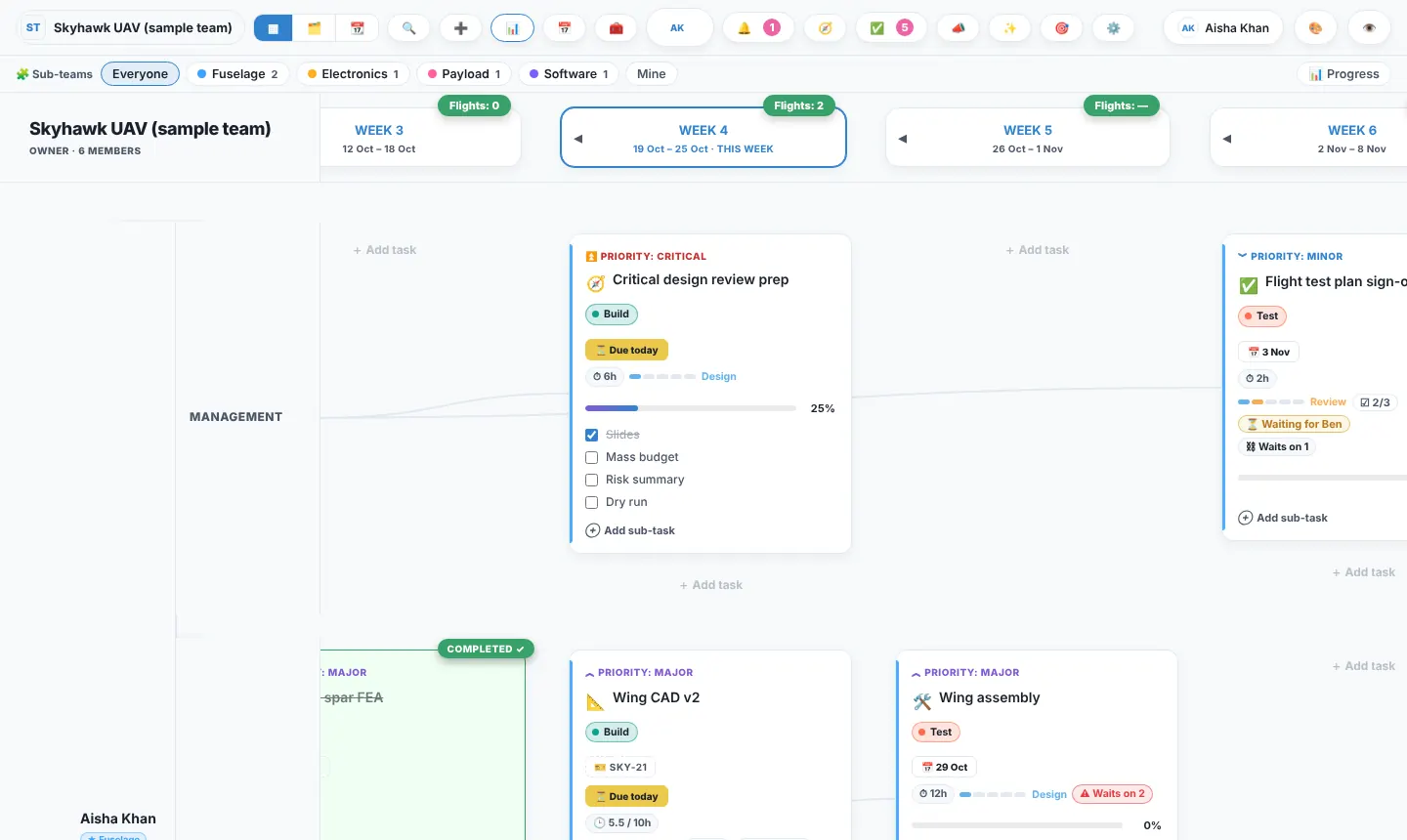
Waterfall or agile? Both, on one board.
Plan in dated phases with a Gantt chart when the deadline is fixed, or run two-week sprints when the work changes every week. Most engineering teams do a bit of each, so Trawpie doesn’t make you choose: the same tasks show either way.
Waterfall: phases and a Gantt chart
- Phases with start and end dates and milestones
- A Gantt chart with dependencies you drag to plan
- Progress per phase and a burndown to the deadline
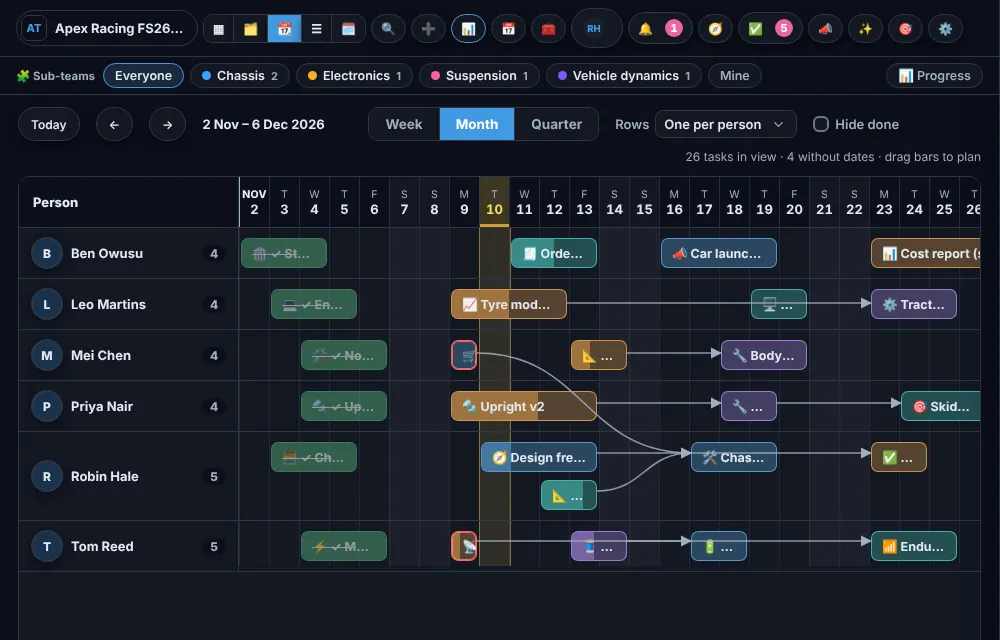
Agile: sprints, Kanban and workload
- Sprints of one to twelve weeks, with a goal and a burndown each
- Kanban by stage, with work-in-progress limits and sign-offs
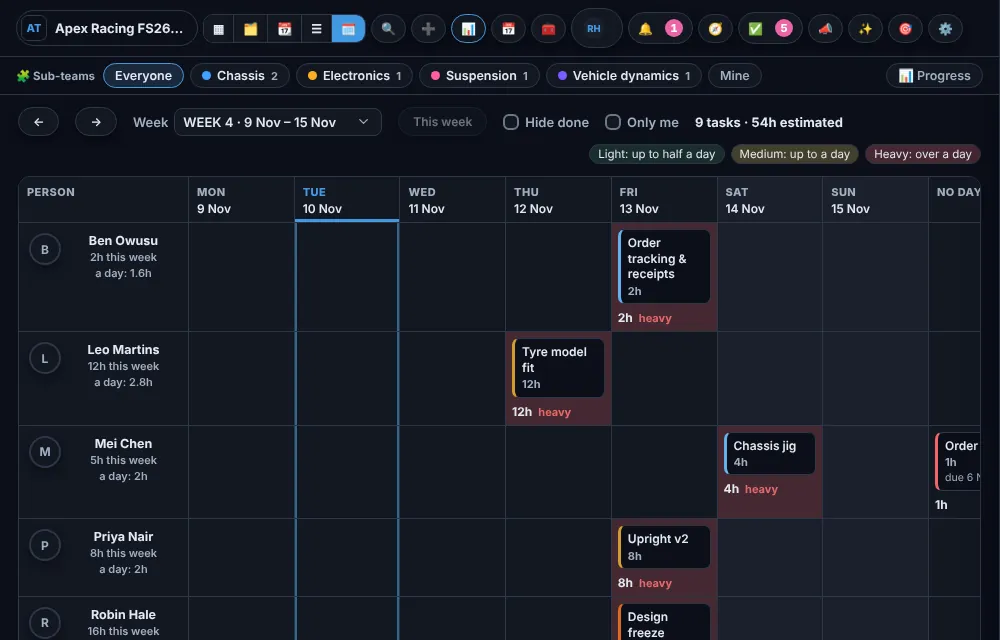
- A day-by-day workload view, so nobody’s Friday is impossible
Writing a dissertation?
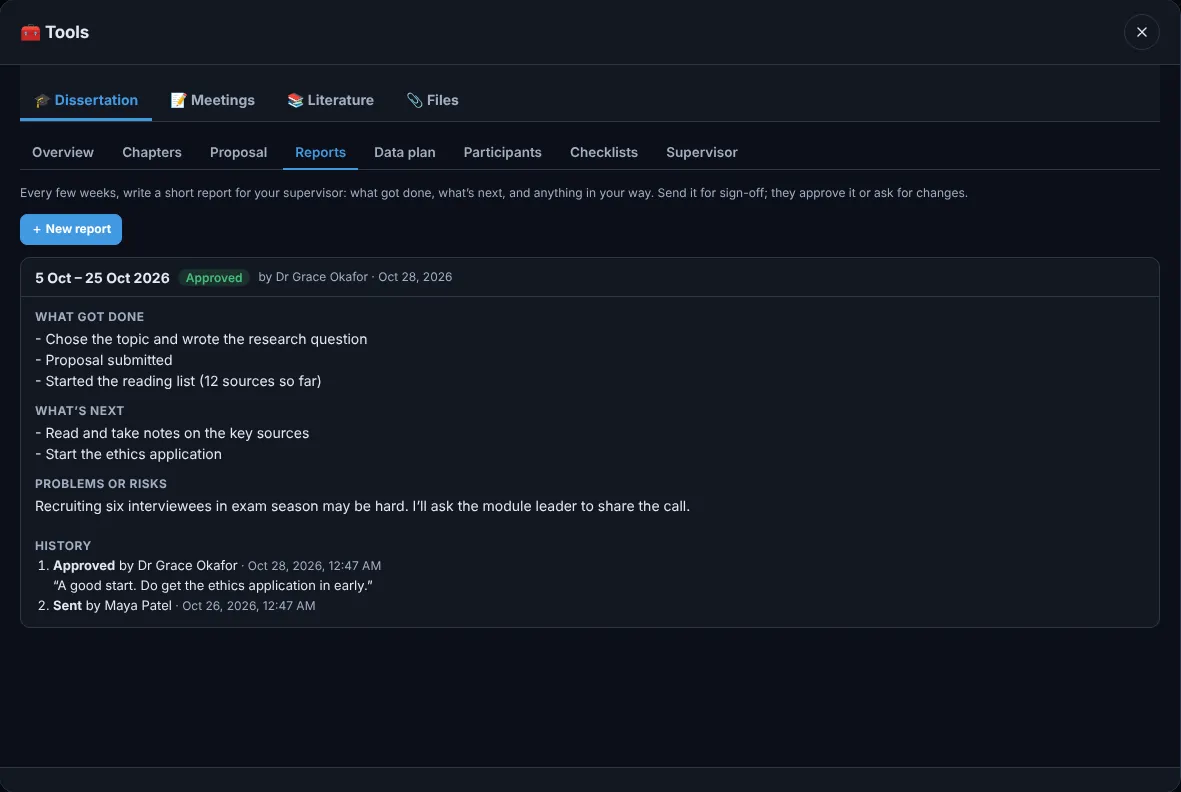
Give Trawpie your hand-in date and it lays out the whole thing week by week. Then it keeps you writing, keeps your reading organised and keeps your supervisor in the loop. Works on your own; your supervisor joins when you invite them. Free for students.
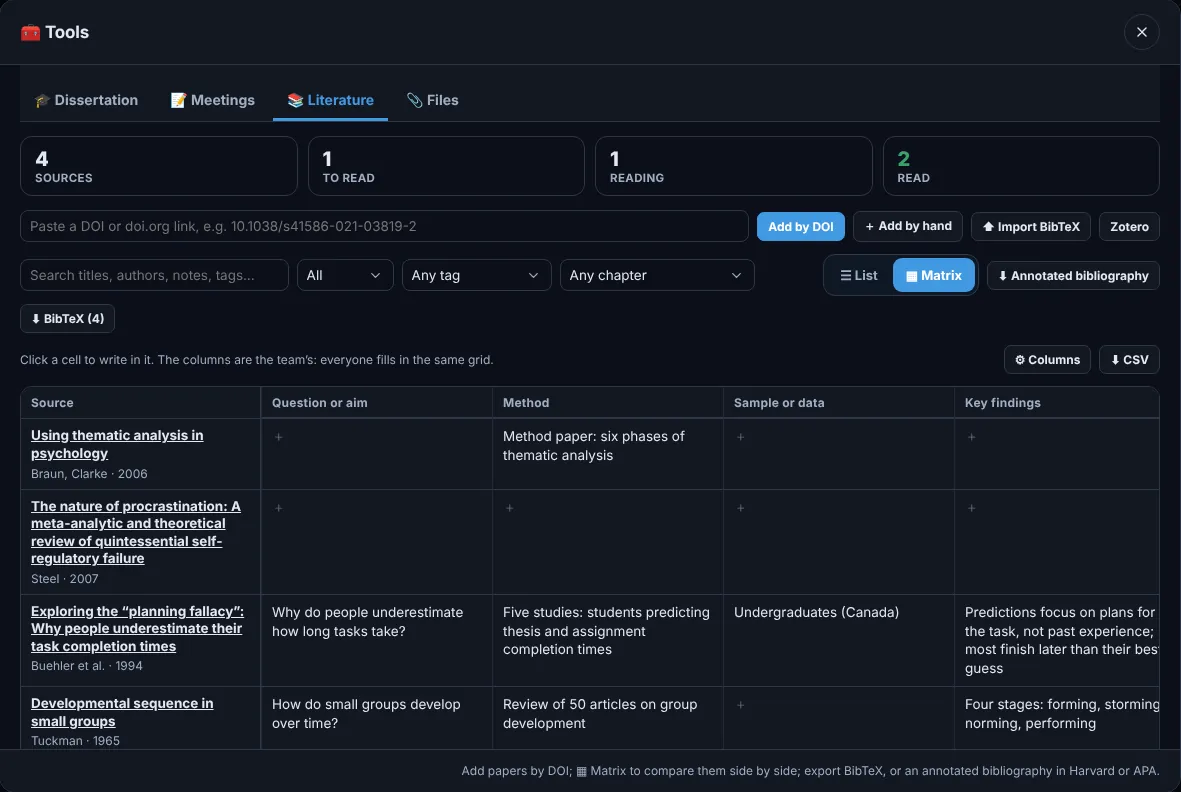
How the dissertation planner works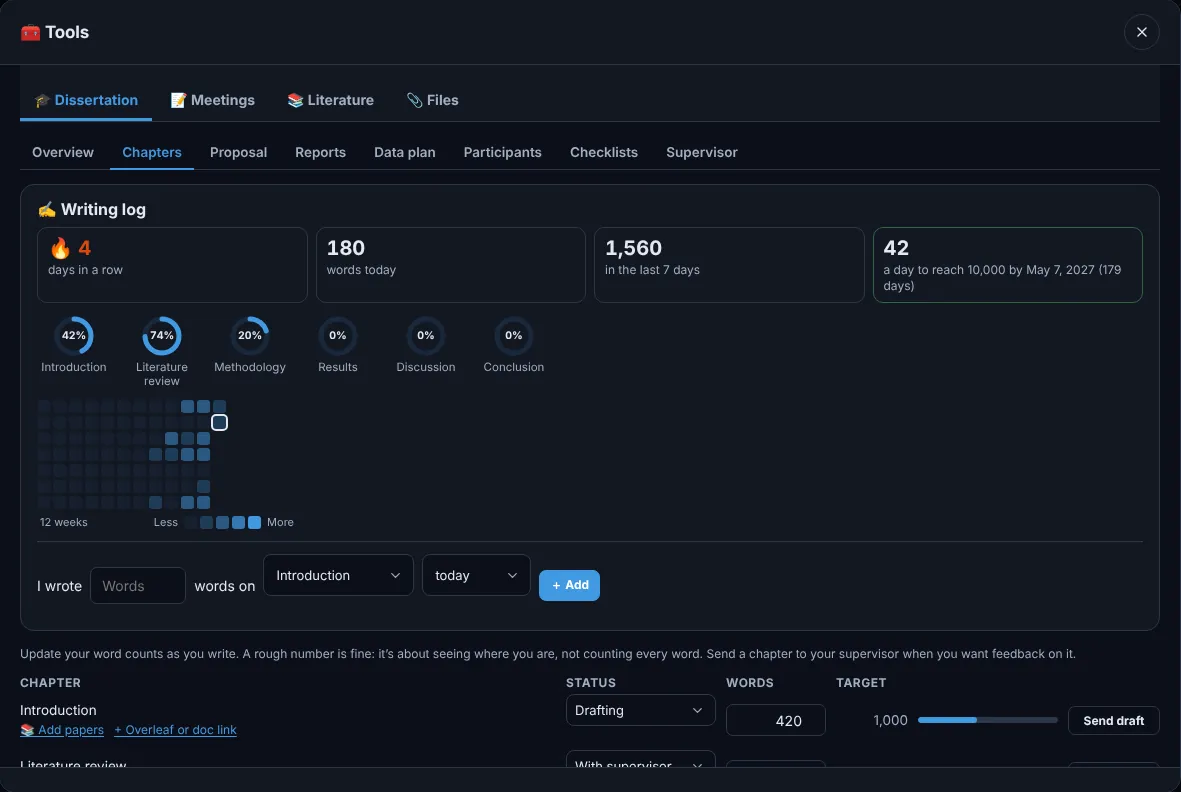
Who uses it
Research groups
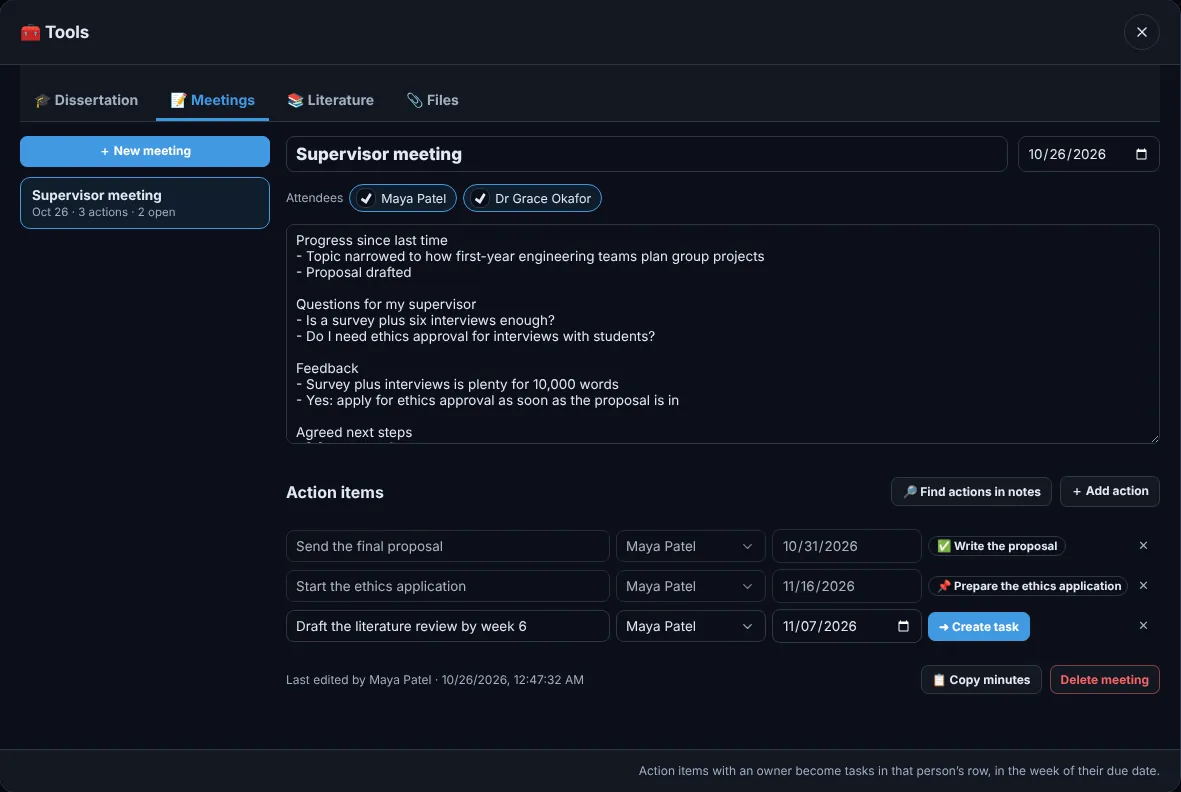
Lab notebook, literature with DOIs, meetings whose actions become tasks, and a supervisor who can watch without editing.
Student engineering teams
Sub-teams, parts and orders, budget lines with receipts, and a weekly summary for the group chat. Free for students.
Companies, 20 to 200 people
Roles and permissions, approvals for spending and deletions, requirements traced to tasks, a whole organisation in one place.
Software teams
Versions and branches above the weeks, GitHub issues and pull requests on the cards, sprints and release checklists.
Events, societies and classes
A countdown to the day, bookings and budgets, rotas, and coursework split fairly across the group.
Just you
SelfTrack: personal projects, habits and a month calendar, private to you, with your team tasks pulled in.
One board for the work, the people and the money.
People × weeks
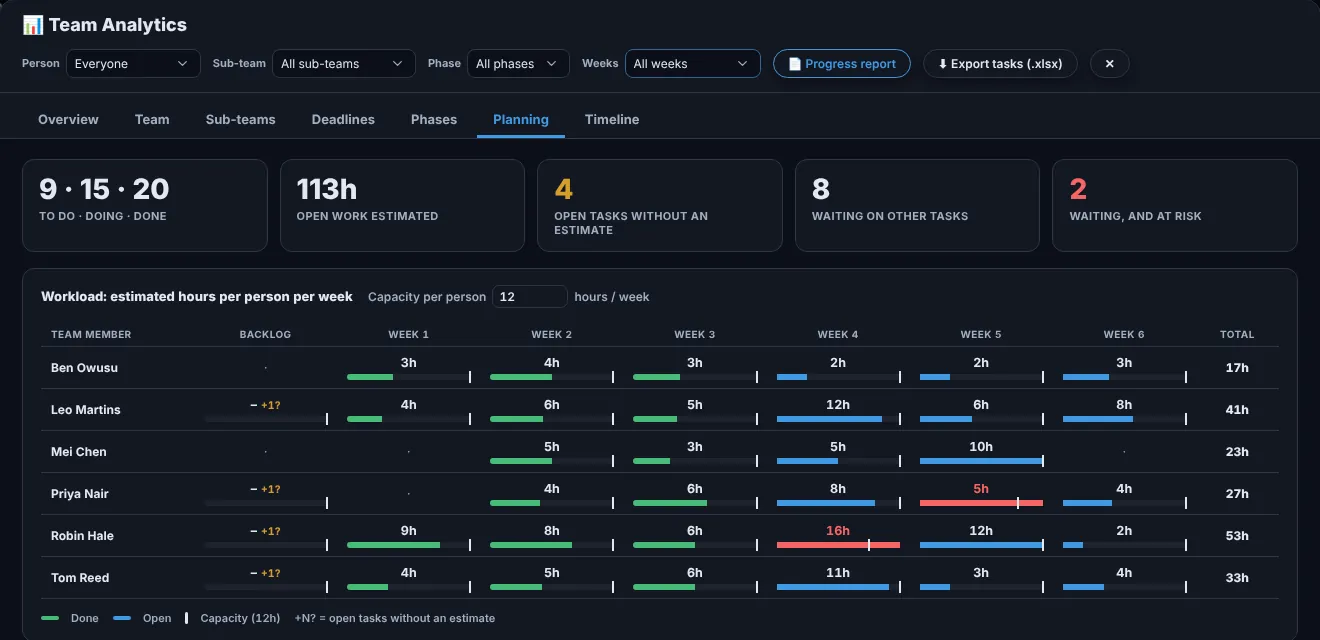
Everyone’s work for each week on one board, with Kanban and Gantt views of the same tasks.
Parts and budgets
Components with suppliers and order status, budget lines, spending with receipts and a burn-rate forecast.
Sign-offs and approvals
Workflow stages with checklists. Leads sign off reviews; admins approve purchases and deletions.
Requirements and risks
Requirements linked to the tasks that deliver them, and a risk register scored by likelihood and impact.
GitHub, Drive and Calendar
Pull requests and issues link to tasks by reference. Files stay in your own Drive or OneDrive.
Live for the whole team
Changes appear for everyone within a second. See who is online and what they are looking at.
Versions and branches New
A release line above the weeks, a version and branch on each card; click one and its tasks light up.
Decision matrix New
Weighted criteria and scores pick the option; the result goes on record.
Meetings, notebook, whiteboards
Notes whose actions become tasks, dated lab entries with photos, and sticky notes that turn into cards.
Your data stays in London.
| Storage | Google Cloud, London (europe-west2), under UK GDPR |
|---|---|
| Access | Every request checked by the database against team and role |
| Backups | Daily, kept 30 days; weekly, kept 14 weeks |
| Your data | Export or delete everything, any time. SelfTrack stays private to you. |
