Every student engineering team starts the same way: a brilliant idea, a group chat full of energy, and a deadline that feels comfortably far away. A few months later it's the night before the competition, three people are soldering, nobody ordered the spare motor, and half the tasks only existed in one person's head.
It doesn't have to go that way. The difference between teams that ship and teams that scramble is rarely talent — it's planning that everyone can see. Here's how to do it, step by step.
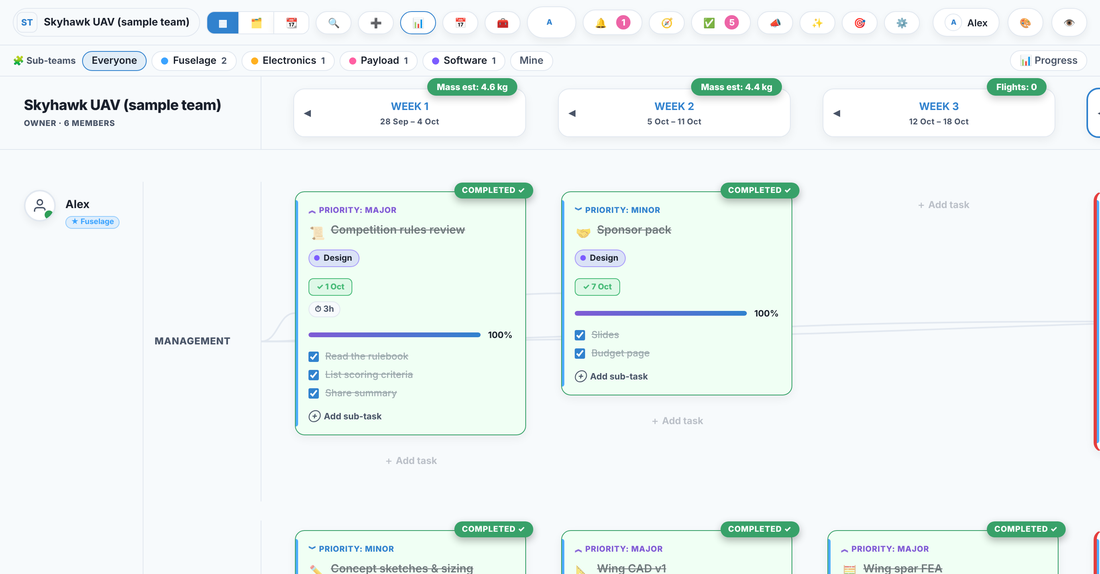
1. Start with the end date and work backwards
Pick the one date that can't move — the competition, the demo day, the submission deadline — and put it on a timeline. Then work backwards. If the robot has to drive in 12 weeks, when does it need to be fully assembled? When does the last part need to arrive? When does the design need to be frozen?
Working backwards turns a vague "we have loads of time" into a real schedule with pressure in the right places. Most teams discover their design freeze needs to be weeks earlier than they assumed.
2. Break the project into real tasks with one owner each
"Build the drone" is not a task — it's a project. Break it down until each item is something one person can actually finish in a week or two: design the frame in CAD, order the flight controller, write the motor test script.
Then give every task a single owner. Not "the electronics team" — a name. The moment a task belongs to everyone, it belongs to no one. This is the single biggest fix for student teams: when every task has a face next to it, things stop falling through the cracks.
3. Plan in weeks, not in one giant list
Engineering work has a rhythm. Rather than one endless to-do list, lay the work out week by week, per person. You can see at a glance who's overloaded, who has room, and whether this week's work actually adds up to the milestone you're aiming for.
A weekly view also makes slippage visible early. If the same task is still sitting there three weeks running, that's a signal to re-plan, split it, or drop it — not something to discover the week before the deadline.
4. Track parts and money alongside the work
For hardware teams, the schedule is only half the story. A task to "test the payload" is blocked if the payload parts haven't arrived, and lead times are brutal — a two-week shipping delay can sink a season.
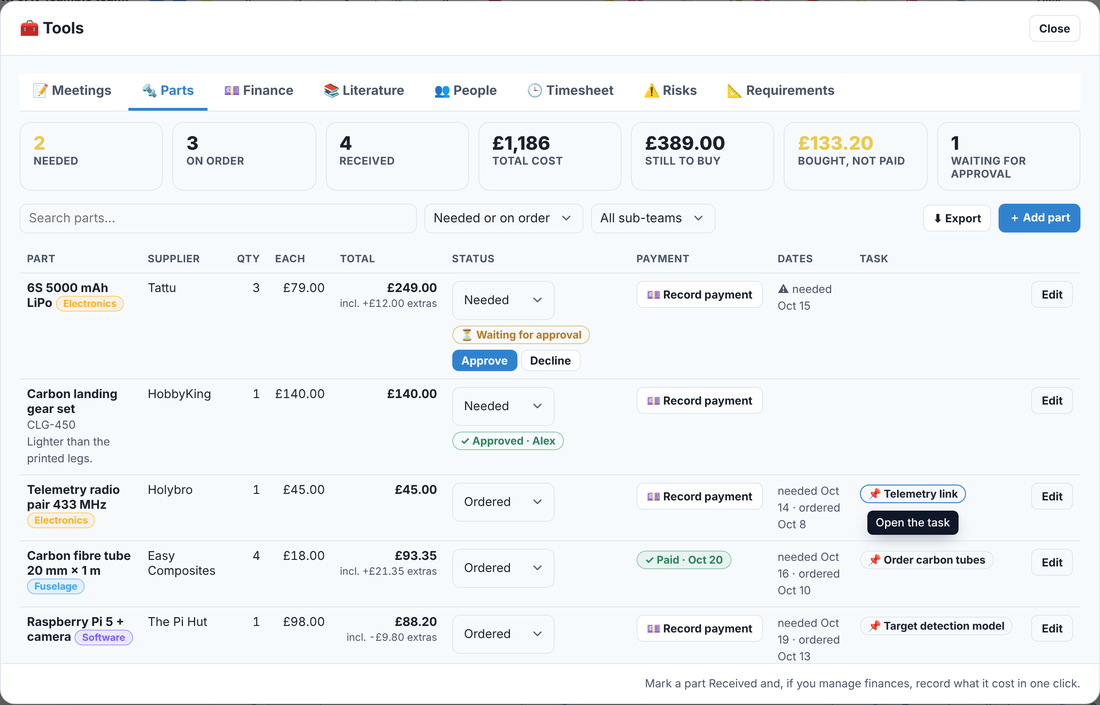
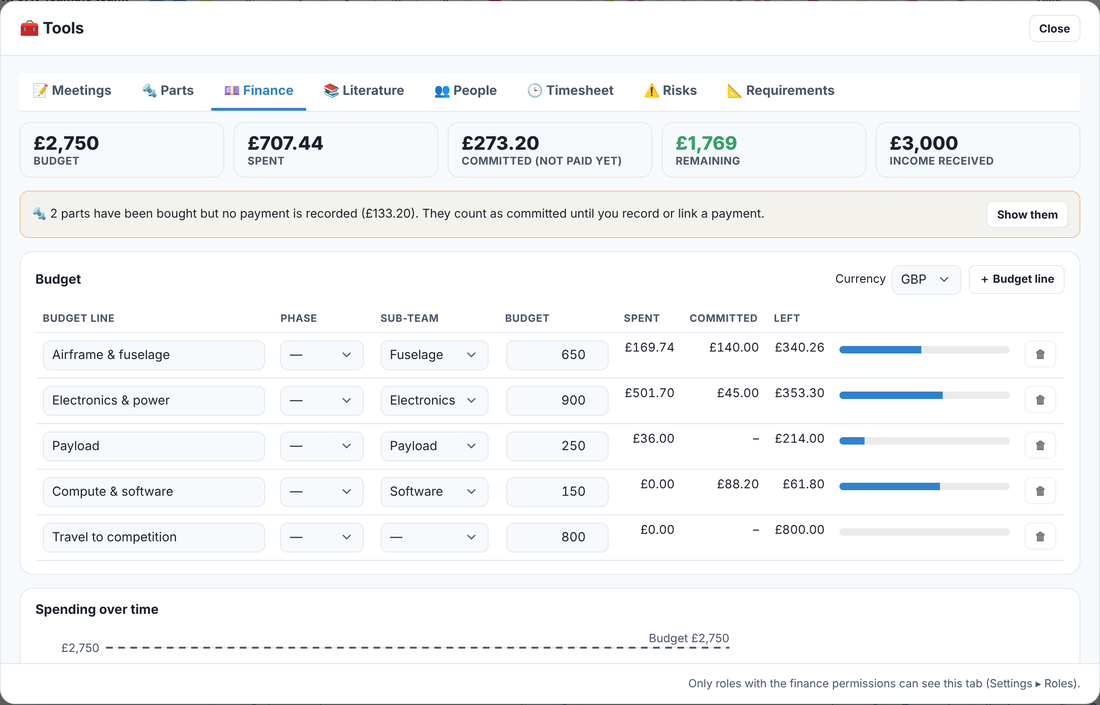
Keep a shared list of parts: what's needed, what's ordered, what's arrived, and what it cost. Tie each part to the task it unblocks. Do the same with the budget, so you know before you're overspent, not after. Treasurers of student societies will tell you this is exactly where projects quietly go wrong.
5. Make decisions and sign-offs explicit
On a team of ten, "I thought someone checked that" is how a design flaw reaches the competition. For anything that matters — a design review, a safety check, a final assembly — decide upfront who signs it off, and don't let the work move on until they have.
It feels like bureaucracy until the first time it catches a mistake. Then it feels like the reason you didn't fail.
6. Keep everyone looking at the same picture
The real enemy of a student team isn't bad work — it's six different versions of the truth. Plans in one person's spreadsheet, decisions buried in a chat thread, the budget in a document nobody can find. When the picture is scattered, people duplicate work, miss handovers, and lose hours just figuring out what's going on.
Pick one place where the whole team's week lives — tasks, owners, parts, budget, sign-offs — and keep it current. It doesn't have to be fancy. It has to be shared, and it has to be up to date.
A simple weekly rhythm
Once the plan exists, running it is a habit:
- Start of the week: everyone checks what they own and flags anything they're blocked on.
- Midweek: a 15-minute stand-up — what's done, what's next, what's stuck. No essays.
- End of the week: mark what's finished, roll what isn't into next week, and look at whether you're still on track for the milestone.
That's it. Teams that do this reliably almost always finish; teams that don't almost always scramble.
Try it without the spreadsheets
We built Trawpie for exactly this — a single live board where your whole team's week sits in one place: tasks and owners, parts and budgets, and design sign-offs, updating for everyone in real time. It started as a tracker used in mining-equipment R&D and was rebuilt for student and research teams.
Free for student teams of up to 30 people. Try a sample drone, Formula Student, CubeSat or engineering-company team in your browser — no sign-up needed.
Whatever tool you use, the principle is the same: make the plan visible, give every task an owner, and look at it every week. Do that, and the night before the deadline looks a lot less like a fire drill.
Next read: How to run a Formula Student season: a project timeline.