Project management for student teams, researchers, organisations and you
Your whole team’s week, live.
Who’s doing what, what’s late and what’s next, for every person and every week. Parts, budgets, sign-offs and software versions on the same board, plus a dissertation planner and a private space just for you.
Free for student and research teams of up to 30 people. No card needed.
The demo needs no sign-up, and nothing leaves your browser. Sign in with your university’s Microsoft or Google account and your classmates are already there.
See every part of it before you sign up.
These are real screens from the sample team you can open in the demo.
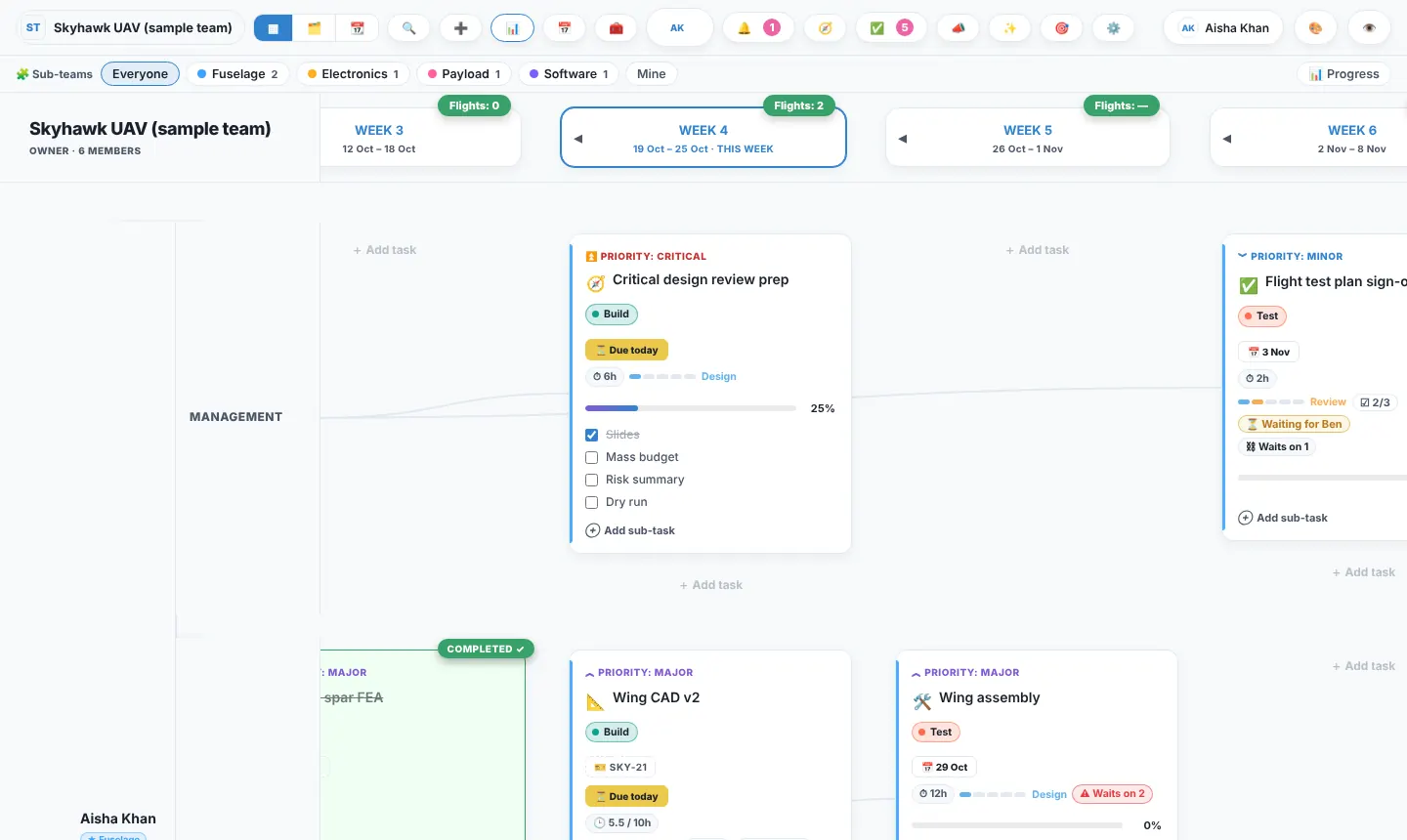
Waterfall or agile? Both, on one board.
Plan in dated phases with a Gantt chart when the deadline is fixed, or run two-week sprints when the work changes every week. Most engineering teams do a bit of each, so Trawpie doesn’t make you choose: the same tasks show either way.
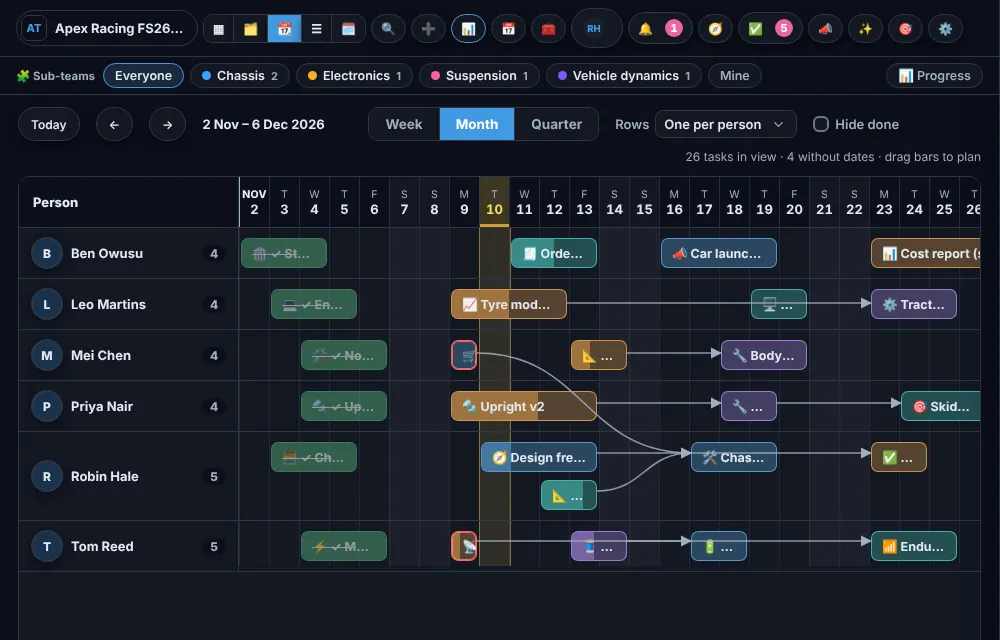
Waterfall: phases and a Gantt chart
- Phases with start and end dates and milestones
- A Gantt chart with dependencies you drag to plan
- Progress per phase and a burndown to the deadline
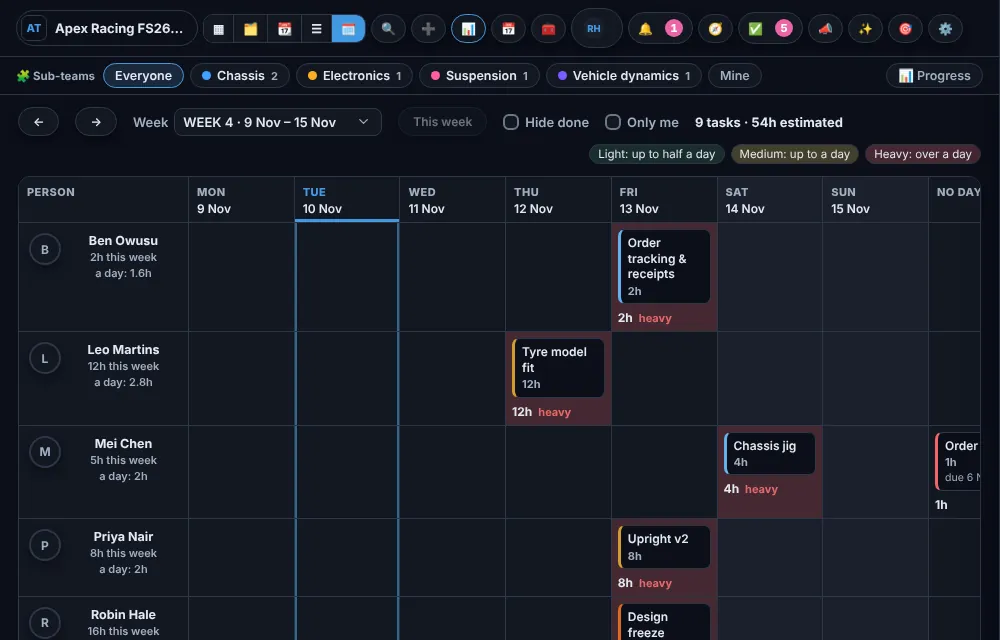
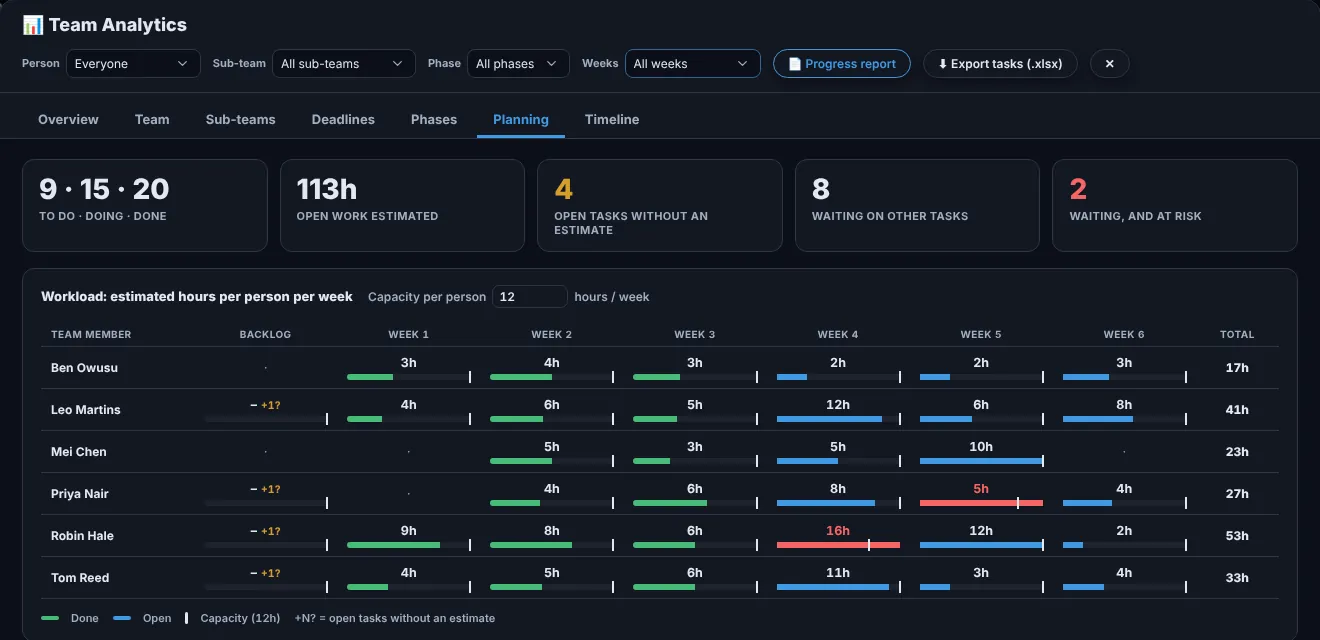
Agile: sprints, Kanban and workload
- Sprints of one to twelve weeks, with a goal and a burndown each
- Kanban by stage, with work-in-progress limits and sign-offs
- A day-by-day workload view, so nobody’s Friday is impossible
Writing a dissertation?
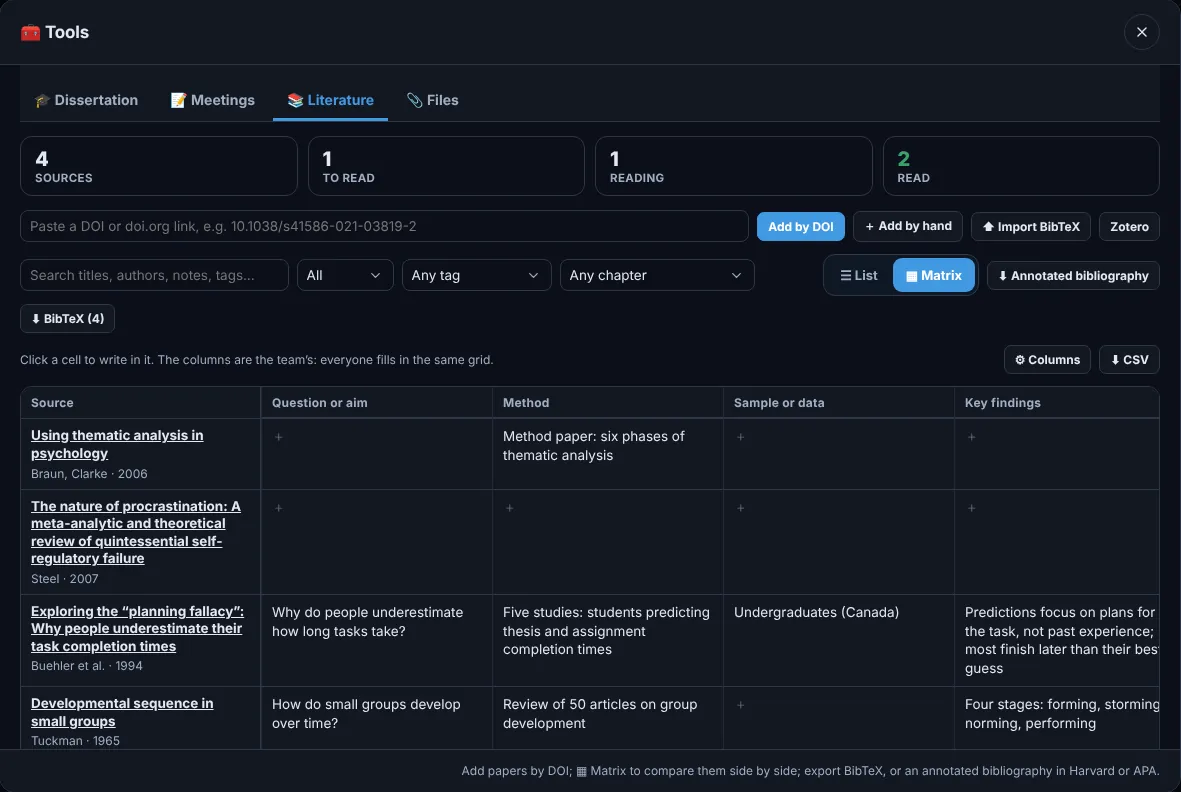
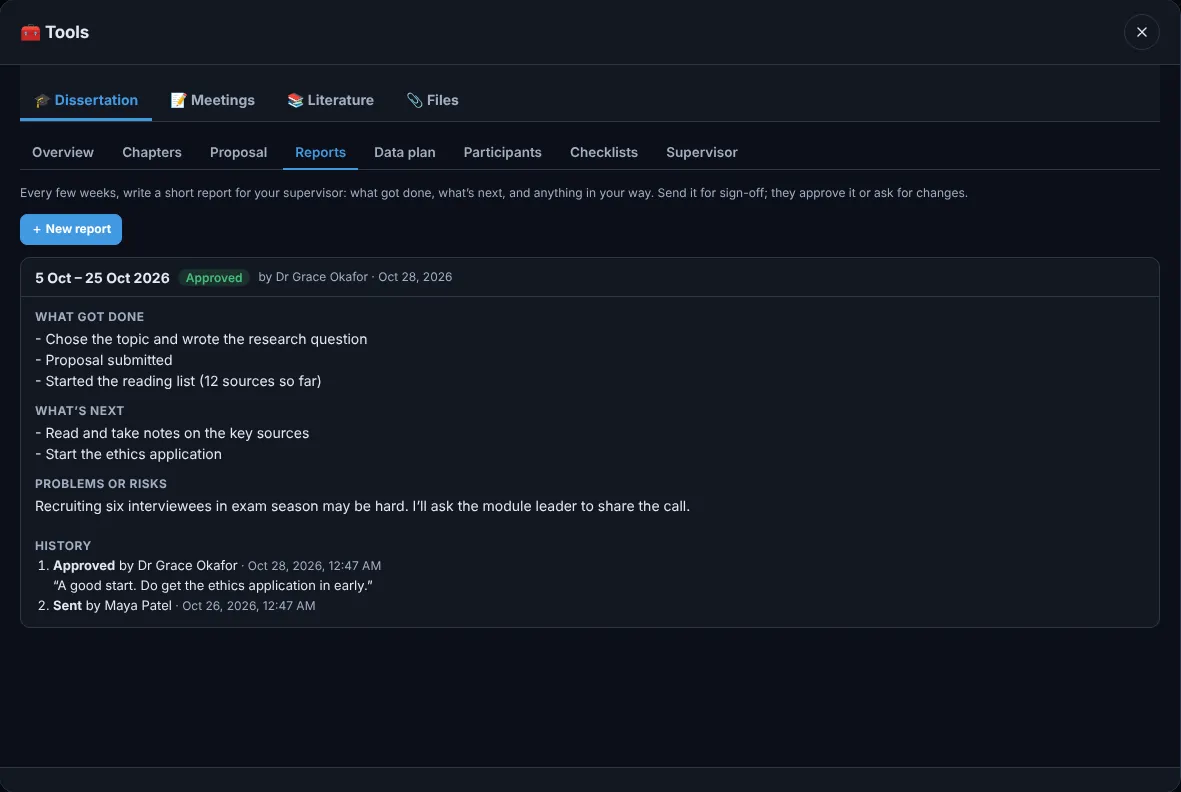
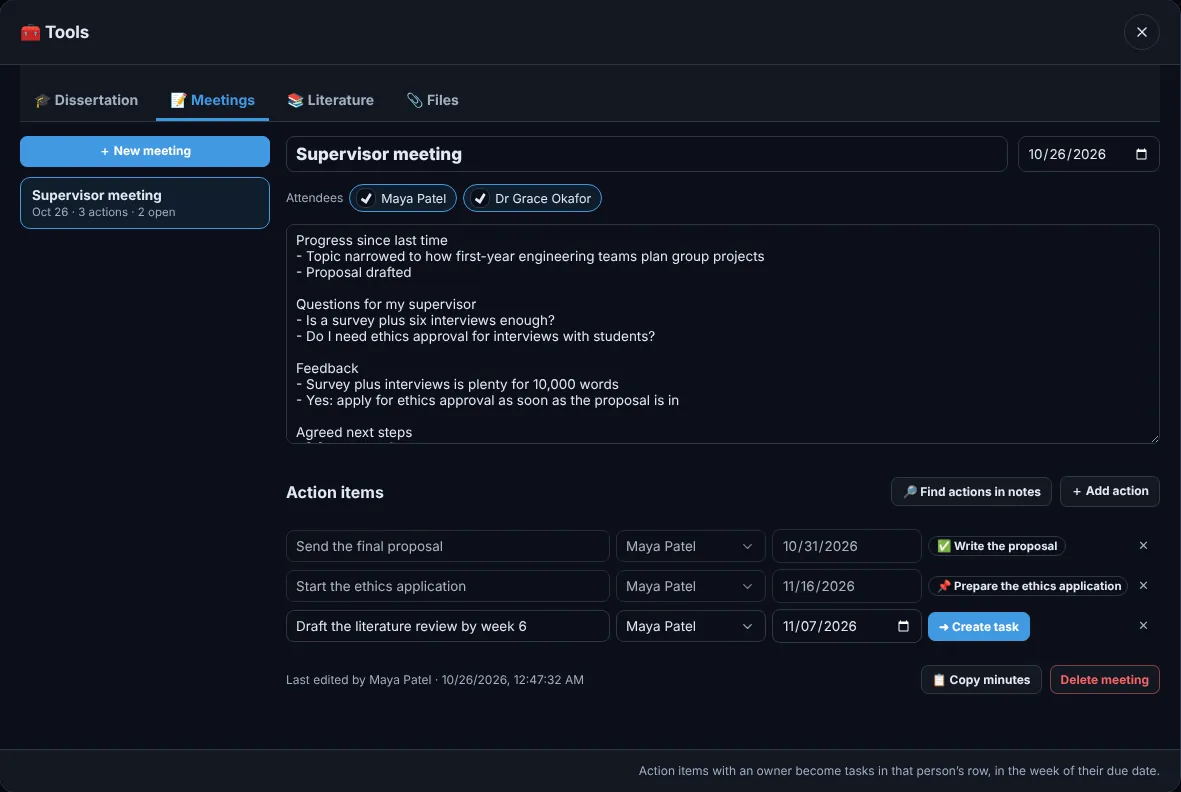
Give Trawpie your hand-in date and it lays out the whole thing week by week. Then it keeps you writing, keeps your reading organised and keeps your supervisor in the loop. Works on your own; your supervisor joins when you invite them. Free for students.
How the dissertation planner works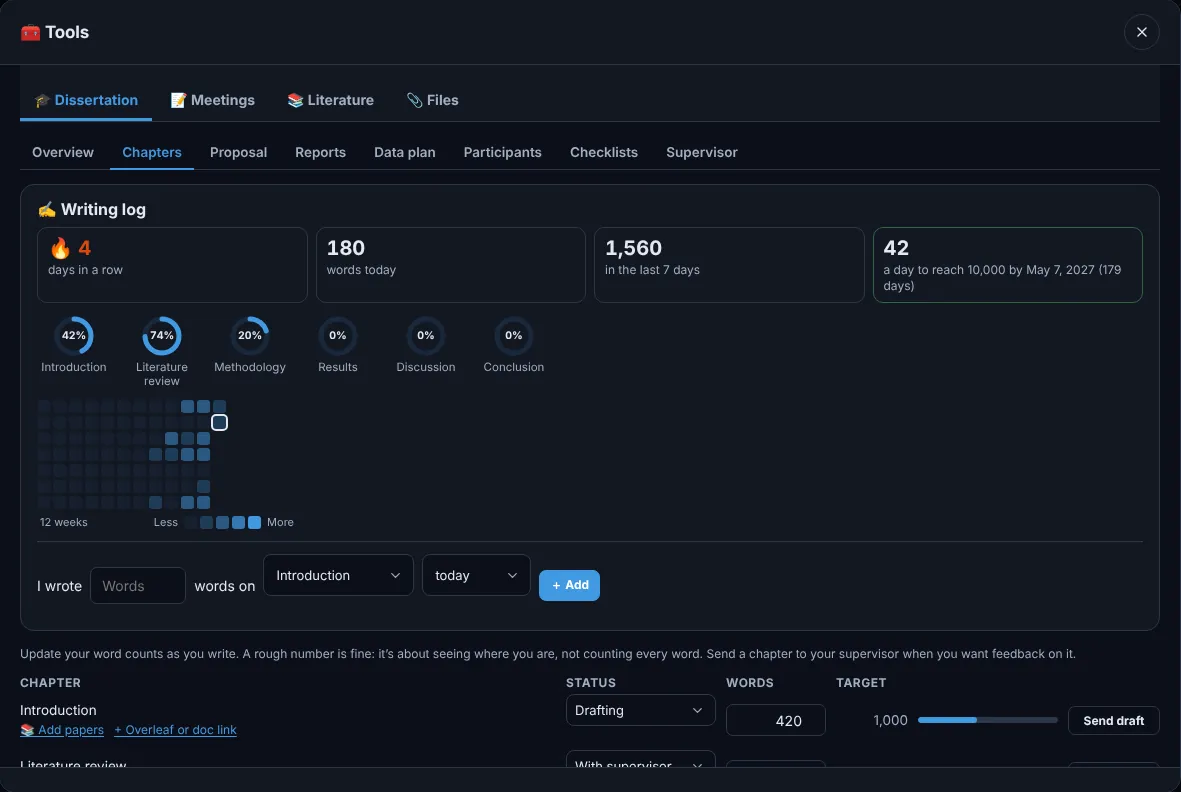
Sign in to your team
Use the email your team invited, or create an account to start a new team. Free for student teams of up to 30.
By continuing you agree to the terms and privacy policy.
Research groups
Lab notebook, literature with DOIs, meetings whose actions become tasks, and a supervisor who can watch without editing.
Student engineering teams
Sub-teams, parts and orders, budget lines with receipts, and a weekly summary for the group chat. Free for students.
Engineering companies, 20 to 200 people
Roles and permissions, approvals for spending and deletions, requirements traced to tasks, GitHub linked to the work.
Software teams
Versions and branches above the weeks, GitHub issues and pull requests on the cards, sprints and release checklists.
Events, societies and classes
A countdown to the day, bookings and budgets, rotas, and coursework split fairly across the group.
Just you
SelfTrack: personal projects, habits and a month calendar, private to you, with your team tasks pulled in.
One board for the work, the people and the money.
People × weeks
Everyone’s work for each week on one board, with Kanban and Gantt views of the same tasks.
Parts and budgets
Components with suppliers and order status, budget lines, spending with receipts and a burn-rate forecast.
Sign-offs and approvals
Workflow stages with checklists. Leads sign off reviews; admins approve purchases and deletions.
Requirements and risks
Requirements linked to the tasks that deliver them, and a risk register scored by likelihood and impact.
GitHub, Drive and Calendar
Pull requests and issues link to tasks by reference. Files stay in your own Drive or OneDrive.
Live for the whole team
Changes appear for everyone within a second. See who is online and what they are looking at.
Versions and branches New
A release line above the weeks, a version and branch on each card; click one and its tasks light up.
Your whole organisation New
Verify your email domain once; colleagues join and find each other, like an Outlook address book.
Meetings, notebook, whiteboards
Notes whose actions become tasks, dated lab entries with photos, and sticky notes that turn into cards.
Your data stays in London.
| Storage | Google Cloud, London (europe-west2), under UK GDPR |
|---|---|
| Access | Every request checked by the database against team and role |
| Backups | Daily, kept 30 days; weekly, kept 14 weeks |
| Your data | Export or delete everything, any time |
