Why Formula Student teams lose time
It’s rarely the engineering. It’s the plan living in one person’s spreadsheet, decisions buried in a group chat, a part nobody ordered because everyone thought someone else had, and a design freeze that quietly slides into March. Then half the team graduates and the next season starts from scratch.
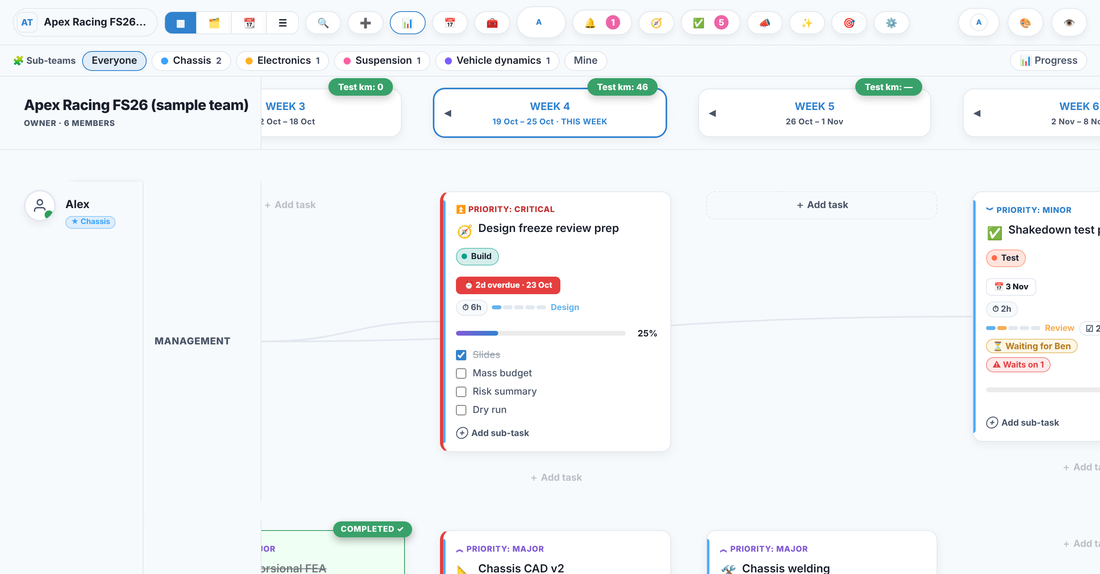
Trawpie puts the whole season in one place that everyone can see and keep up to date, without anyone becoming a full-time project manager.
Everything a season needs
🧩 Sub-teams with leads
Split the board into chassis, suspension, powertrain, electronics, aero and business. Each sub-team has leads, its own view and its own progress, and can own parts and budget lines.
✅ Design reviews and sign-offs
A task can’t move from Review to Build until the sub-team lead signs it off, with a short checklist: CAD shared, calculations attached, mass budget updated.
🔩 Parts and orders
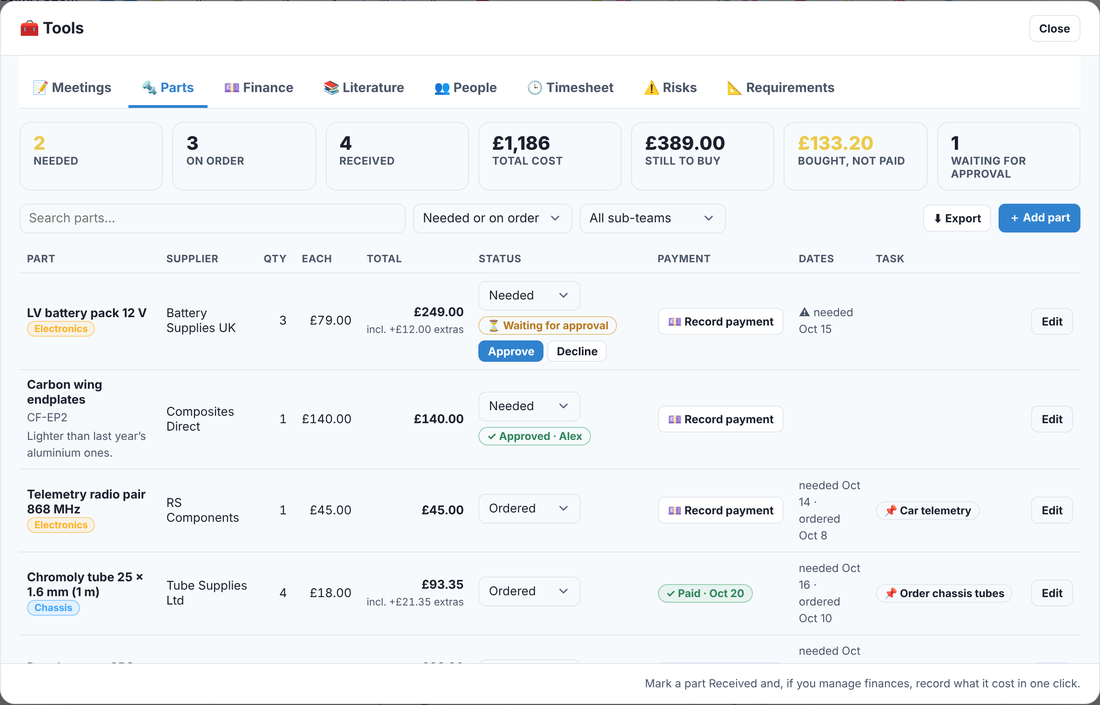
Every part with its supplier, cost, status and the task it’s for. Orders over a limit you set wait for approval before anyone spends the money.
💷 Budget and sponsors
Budget lines, spending with receipts, sponsorship income and a burn-rate forecast. Only the roles you choose see the money.
📅 The season on a Gantt
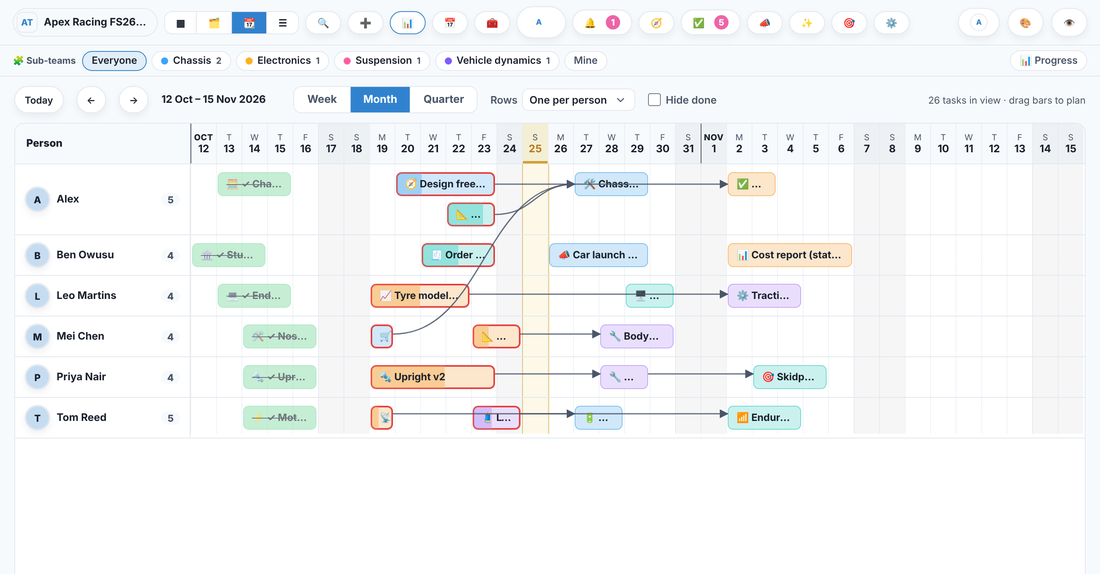
Phases from concept to competition, milestones like the design freeze and car launch, and arrows for what waits on what. Drag a bar to re-plan, and the tasks that wait on it move along.
🔁 Work that doesn’t vanish
Unfinished tasks carry into next week on their own and keep their history, so anything that keeps slipping is obvious long before the competition.
A season, step by step
- Kick-offEvery member on the board, sub-teams and leads set, last season’s lessons as tasks.
- Concept and targetsMass, power and lap-time targets as requirements, linked to the tasks that meet them.
- Detailed designDesign reviews with sign-offs, the parts list growing as the CAD does.
- Design freezeA milestone with a date everyone can see, and every design signed off before it moves to Build.
- ManufactureWeek-by-week build tasks, orders tracked to delivery, machine time and jigs planned.
- TestingShakedown, dyno and skidpad tests with checklists and results in the lab notebook.
- Static eventsThe cost report, business plan and design report as deliverables with owners and dates.
- Competition and handoverScrutineering checklists, then hand tasks over to next year’s team without losing the history.
For the whole season in detail, read How to run a Formula Student season.
Built for how student teams actually work
- Roles and permissions: owners, admins, members and viewers, plus your own roles. Faculty advisors and sponsors can see without editing.
- Software too: link GitHub issues and pull requests to tasks, and see their state on the card.
- Meetings that turn into actions: notes from the weekly meeting become tasks with owners and dates.
- Risks and requirements: a risk register and requirements linked to the tasks that close them.
- Bring your plan with you: import from Jira or Trello, or from a spreadsheet.
- On every device: works in the browser and installs on your phone; no app store needed.
Questions
Is it free for Formula Student teams?
Yes. Teams of up to 30 people are free. With a university email, Pro Education is free too and covers up to 100 members, which fits most Formula Student teams.
Does it work for FSAE and Formula SAE teams?
Yes. Nothing is tied to one competition: name your phases, milestones and static events to match your rules and dates.
Can our faculty advisor or sponsors see the plan?
Yes. Invite them as viewers: they see the board, timeline and progress reports but can’t change anything. Budgets stay hidden unless you give them the finance permission.
We already use Trello, Notion or a spreadsheet. Do we have to start again?
No. Import tasks from Jira or Trello exports, or from a CSV or Excel file, and carry on from where you are.
What happens when members graduate?
Their finished work keeps their name, and their open tasks can be handed to someone else in one go, so next year’s team inherits the history instead of a blank page.
Try it with a made-up team
Open Apex Racing, a made-up Formula Student team building its FS26 electric car: sub-teams, the design freeze, dyno tests, parts and the static events, with a two-minute guided tour.