 Trawpie
When a task is really a choice (which venue, which supplier, which database) compare the options on the task itself. Open the task’s Plan tab and press ⚖ Compare options, or right-click the card ▸ Decision matrix.
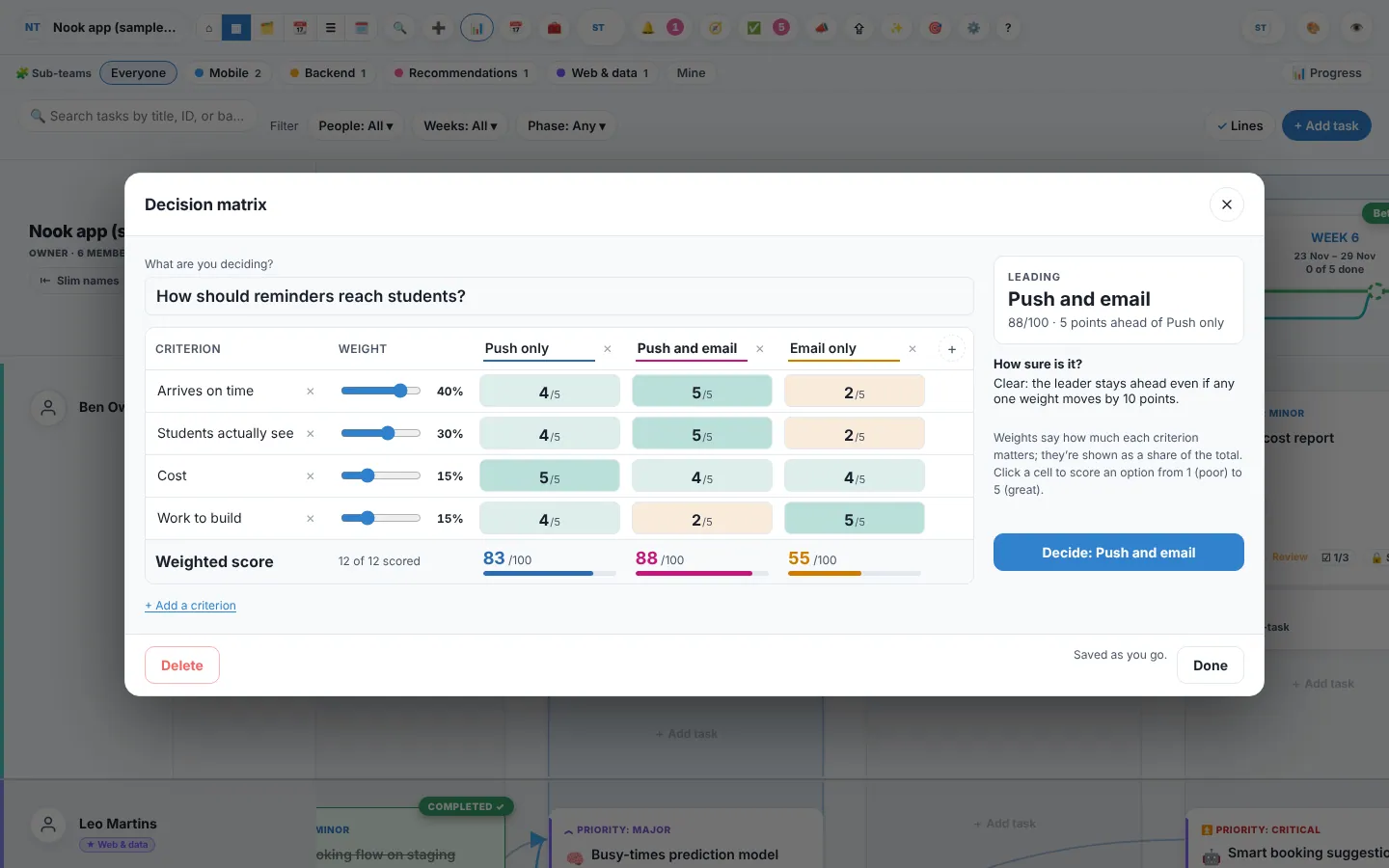
How it works
- Name the question and the optionsOptions go across: up to 8. Rename them by clicking.
- List what mattersCriteria go down: up to 12, like Cost, Quality, Time to do it.
- Weight each criterionSlide 0 to 50. Weights show as a share of the total, so 30 + 40 + 30 is 30%, 40% and 30%.
- Score each cellClick to score an option from 1 (poor) to 5 (great). Click again to go up; after 5 it goes back to 1.
- Read the resultWeighted totals out of 100, the leader, and how far ahead it is.
How sure is it?
Trawpie tries moving each weight by 10 points. If that would put another option ahead, it says which weight to talk about. If the top two are within 3 points, it calls it a tie.
Example
Three poster ideas: Idea B leads with 76. Trawpie says “Fairly close: giving Cost 10 points more weight would put Idea C ahead.” The team agrees clarity matters more, and decides on B.
Deciding
- Press Decide: …. Trawpie records who decided and when, posts the scores as a comment on the task, and notes it in the task’s history.
- The task is finished too, unless its stage needs a sign-off first: then it waits for that as usual.
- A decided matrix is locked. Anyone who can edit tasks can Reopen it.
Everyone in the workspace sees the same matrix, and changes save as you go. Anyone who can edit tasks can build and score one; the person who made it, or an admin, can delete it.