 Trawpie
Switch on Versions in Settings ▸ Features. A release line appears under the week headers, inside the same board you already use.
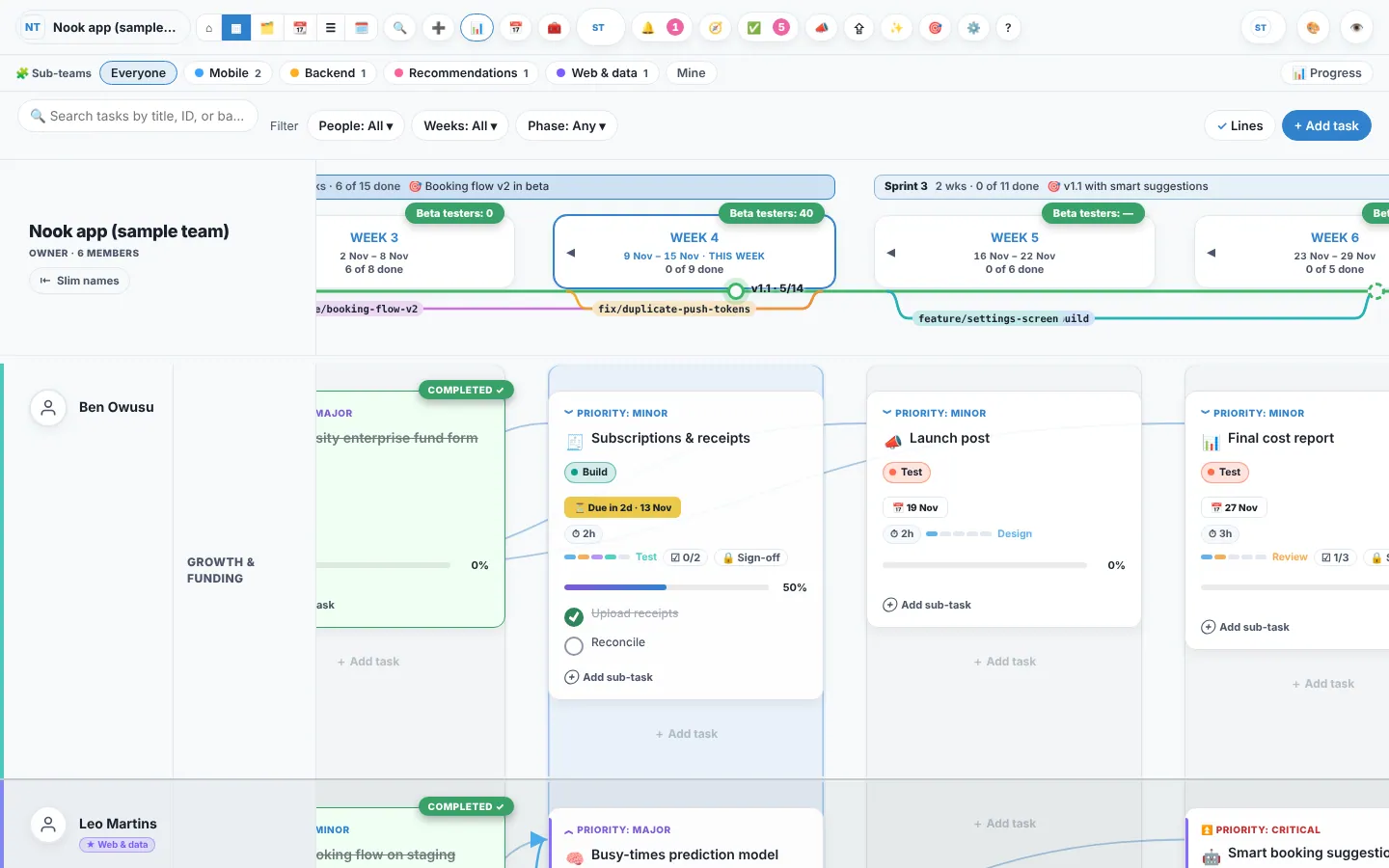
Add a version
- Press 🏷 Add a versionOn the release line, or Versions ▾ ▸ New version. It lands in this week.
- Set its release dateRight-click the version ▸ Release date. It moves to the week it ships.
- Mark it as worked on, then releasedOne version at a time is “being worked on”. Released ones turn solid.
Give tasks a version and branch
In the New task form, or the editor’s Plan tab. Branch names keep git’s style, like feature/offline-sync or fix/login-loop. Tags show on the card.
Light it up
Click a version, a branch, or a tag on a card: everything that goes with it lights up and the rest fades. Click again to show everything.
Example
Alex wants to know what’s left for v1.2. One click on v1.2: six cards light up, two are done, and the node says “2/6”.
Carried-over tasks keep their version and branch, so a release’s count stays right week to week. With GitHub connected, a branch or pull request that mentions a task’s reference links itself.