 Trawpie
Home is the first thing you see after signing in. The top half answers “what do I need to do?”, across your own things and every team you’re in.
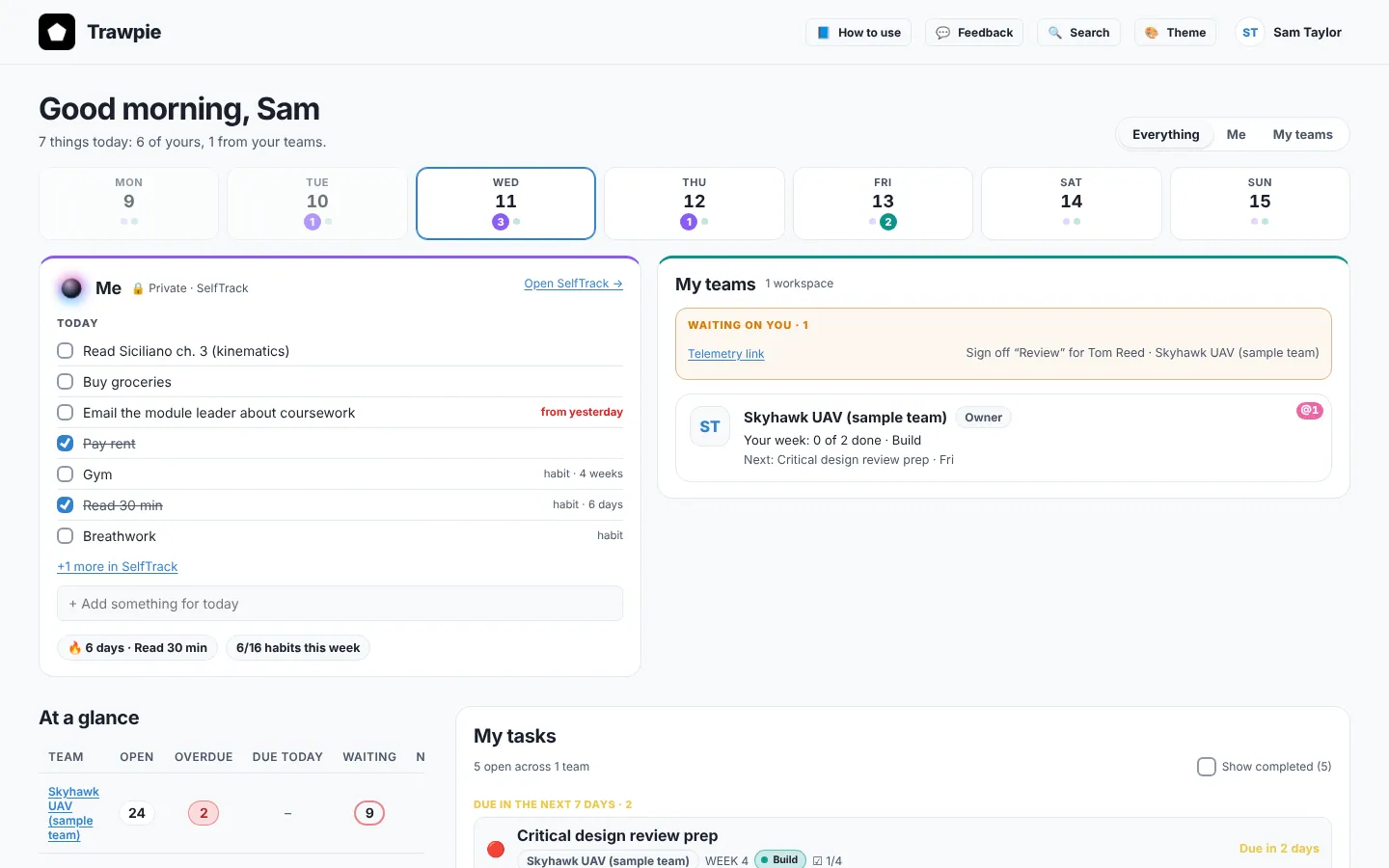
The switch: Everything, Me, My teams
- Everything shows both sides. Purple is yours, teal is your teams’.
- Me shows just your private SelfTrack side, and hides team lists further down.
- My teams shows just your workspaces and what’s waiting on you.
Trawpie remembers your choice on this device.
This week, at a glance
The strip under the greeting has a box per day. The purple number is how many of your own things fall on that day; the teal one is team tasks you own that are due. Today is outlined.
Me
- Today: your SelfTrack tasks for today (including any left from earlier days), your daily habits and project tasks that are due. Tick them right here.
- Add something for today: type and press Enter. It goes into SelfTrack.
- My projects with their progress and next step, your best habit streak and this week’s habit count.
My teams
- Waiting on you: your late tasks, what’s due today, and sign-offs you can give. Each line opens the task.
- Your workspaces: each with its status (On track, At risk, Off track), your week (“3 of 5 done”), the current stage or version, and the latest change someone else made.
- A pink @1 on a workspace means an unread mention.
Further down
Since you were last here (what others did while you were away), At a glance (open, overdue and waiting tasks in each team), My tasks across all teams, and Start something new to make another workspace.
Example
Jo opens Trawpie on Wednesday morning. Waiting on you shows “Sign off ‘Review’ for Sam · Robotics”. Jo clicks it, the task opens on the Robotics board, and Jo approves it.