 Trawpie
A workspace is one project: its board, its people and its settings. Make one from the home page under Start something new.
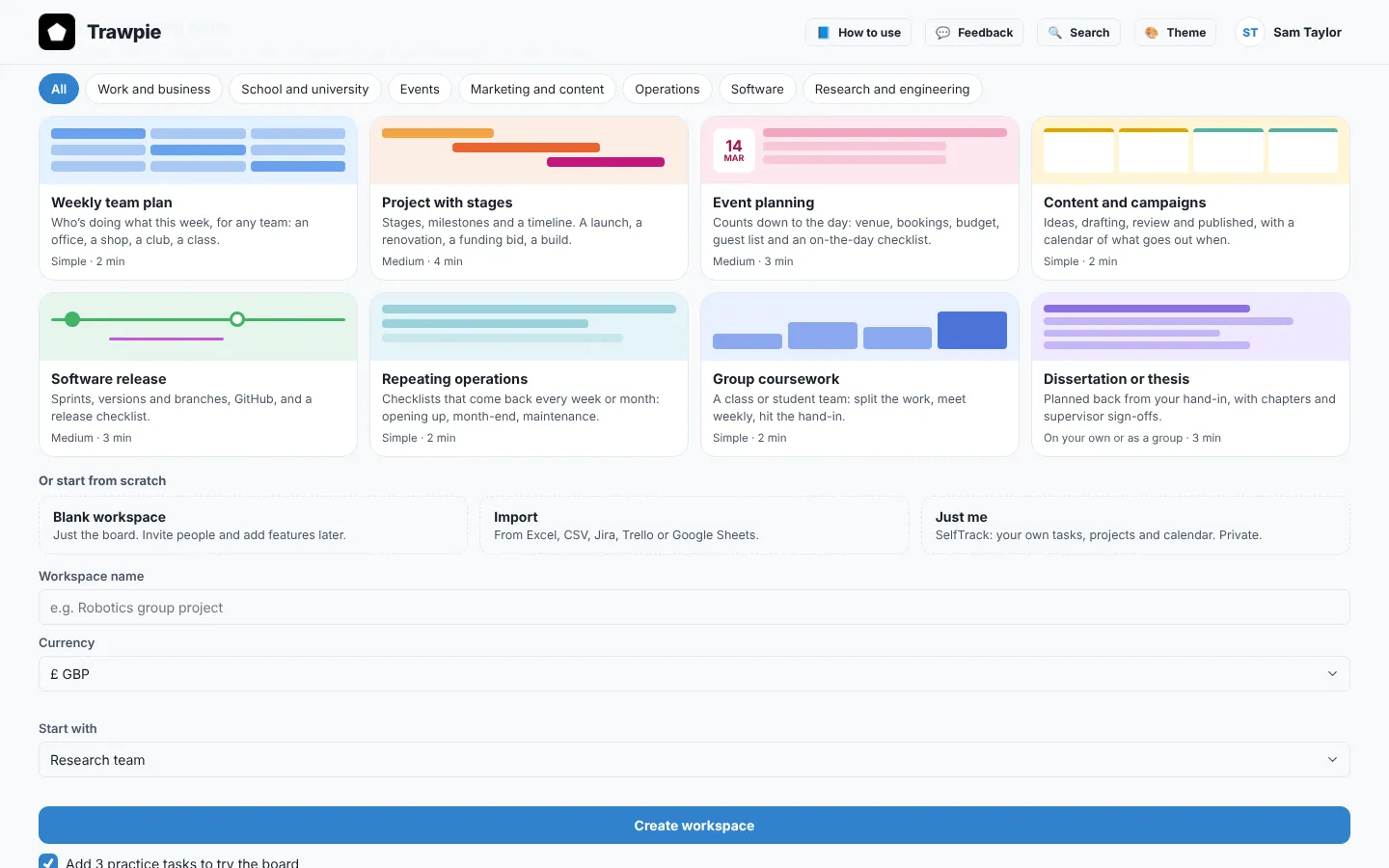
Pick a template
Templates set up the rows, weeks, stages and a few starter tasks so the board isn’t empty. Each one switches on the tools that kind of work usually needs. You can change everything afterwards.
Weekly planA simple board: rows for each area, a few weeks ahead.
Project with stagesStages with dates (Plan, Do, Review) and milestones.
Event planningVenue, people, promotion and the day itself, counting down.
Content and campaignsIdeas, drafts, review and publishing.
Software releaseVersions and branches on the board, sprints and GitHub.
Repeating operationsRoutine work that comes round every week or month.
Group courseworkA shared assignment split between members, with the hand-in.
Dissertation or thesisPlanned back from your hand-in date, alone or in a group.
Example
Sam is organising a society open day. The Event planning template gives Sam rows for Venue, Speakers and Promotion, weeks counting down to the day, and starter tasks like “Book the hall”.
Or start from scratch
- Blank workspace: just the board. Add rows and weeks as you go.
- Import: bring tasks in from Excel, a CSV, a Jira export or a Trello board. You see a preview before anything is added.
- Just me: opens SelfTrack, your private space, instead of making a shared workspace.
Name it and create it
- Name the workspaceSomething your team will recognise, like “Robotics group project”.
- Pick the currencyUsed for parts, budgets and purchase approvals. It’s guessed from your browser.
- Choose what it starts withSimple (just the board), Research team, Everything, or Dissertation or thesis. A template picks this for you.
- Press Create workspaceYou become its Owner and the board opens.
Making workspaces is free. A plan belongs to a workspace, so you never pay for how many you create. See plans.