 Trawpie
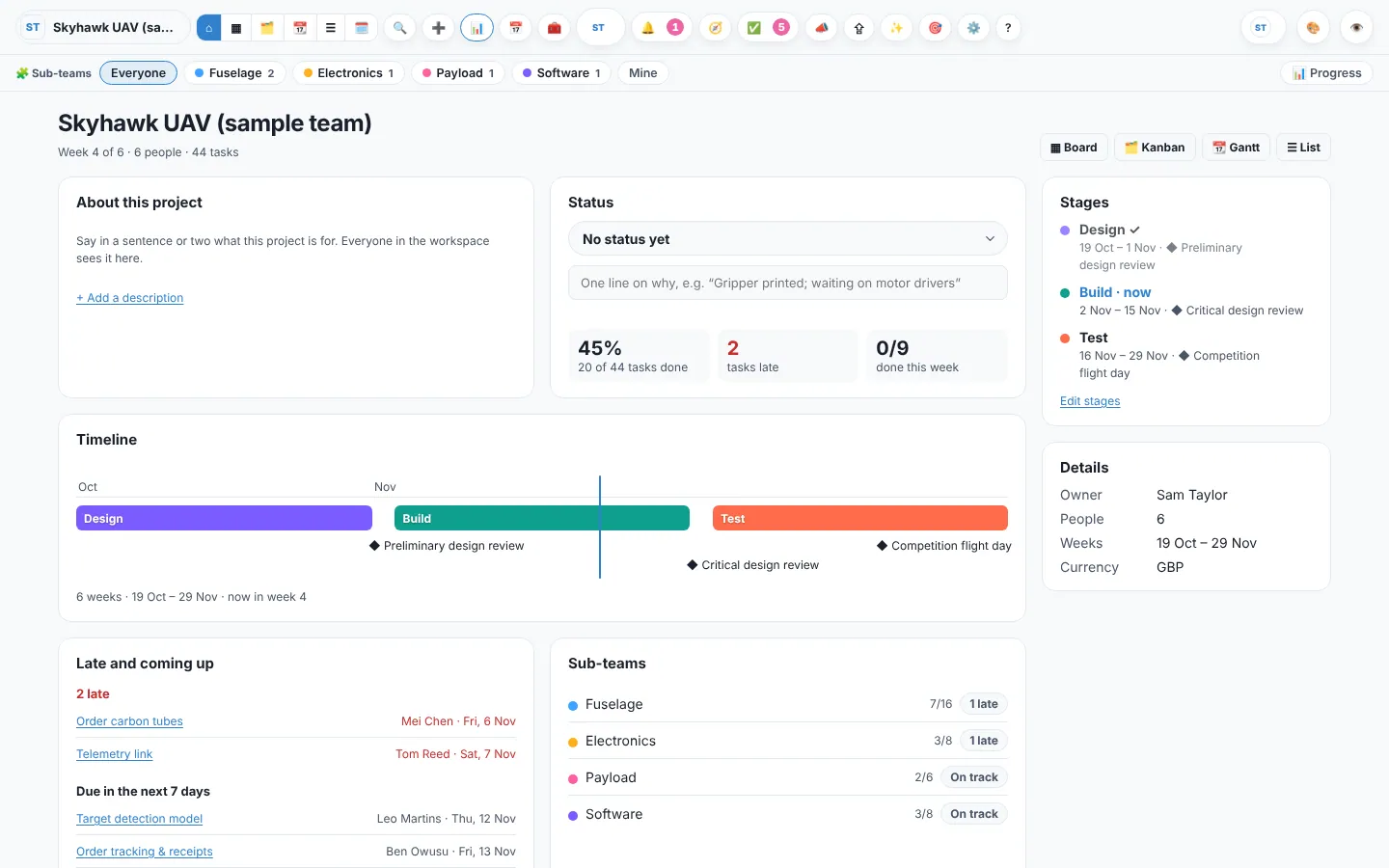
Press ⌂ Overview at the top of the board. It’s the page to show a supervisor, a client or a new member: the whole project on one screen.
Written by hand
- About: a few lines on what the project is for. Anyone with settings rights can edit it.
- Status: On track, At risk or Off track, with a short note. It shows on everyone’s home page.
Worked out from the board
- Progress numbers: tasks done, open, late and due this week (each piece of carried-over work counted once).
- Stages with their dates, and a timeline with milestones, versions and today.
- Sub-teams and how each is doing.
- Late and coming up: the tasks to talk about this week.
- Decisions: open decision matrices first, then the ones already decided.
Example
Jo’s coursework group sets the status to At risk with the note “Survey closes late, results may slip a week.” Their tutor opens the Overview and sees it straight away, with the late tasks underneath.