 Trawpie
A tablet has room for the real board. Trawpie puts the menu in a sidebar (as icons when the screen is narrow) and makes cards compact, so three weeks fit and you mostly scroll sideways through the weeks.
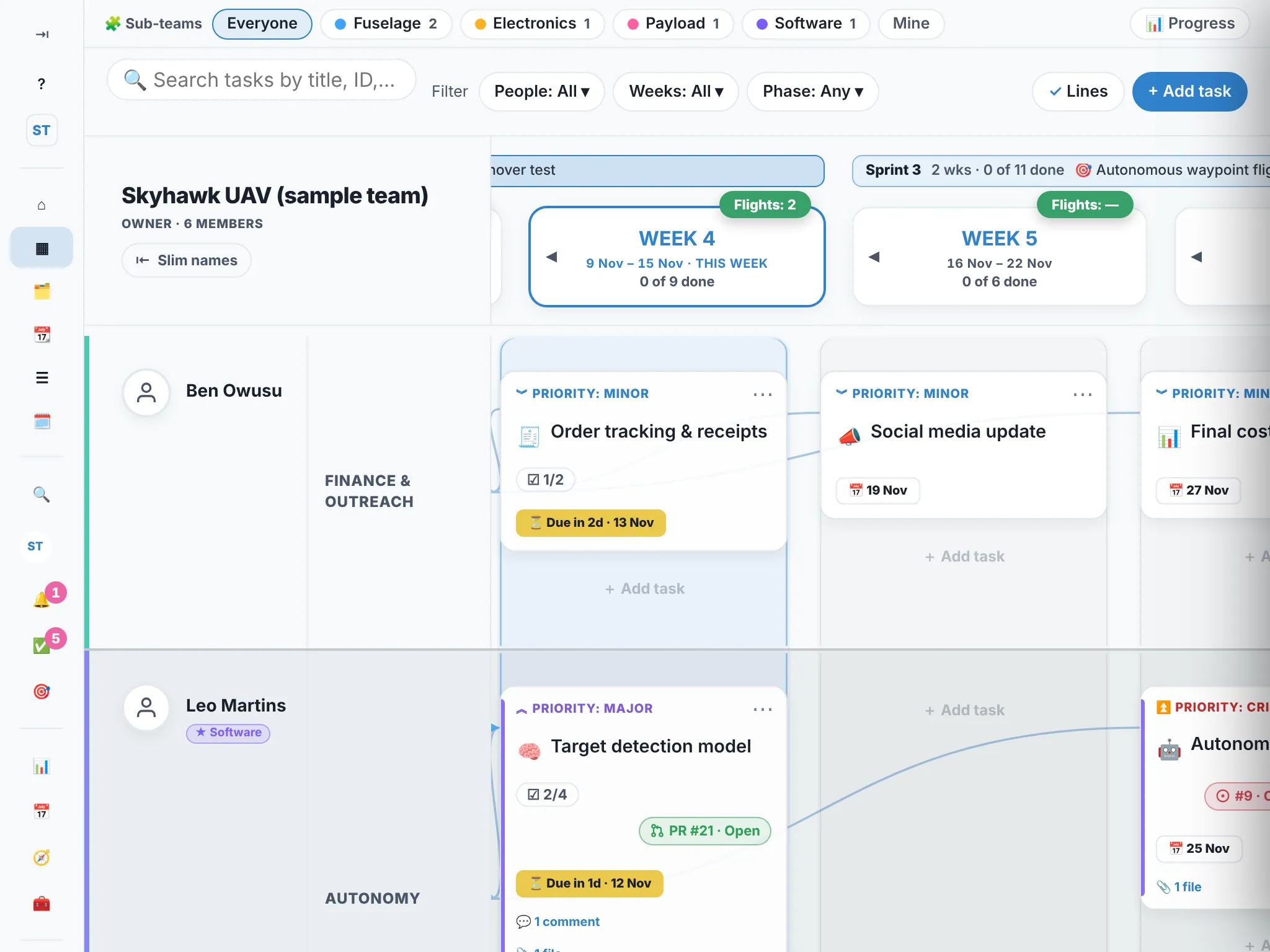
Compact cards
Each card shows its title, deadline and a sub-task count like ☑ 2/4. Tap a card and everything else (sub-tasks, stage, files, comments) slides in from the side; the board stays where it was.
Prefer the full cards? Search for Full cards on the board with Ctrl + K (or the 🔍 button). It’s remembered on that tablet.
Tips
- Press and hold a card for its menu, or attach a keyboard and use the right-click menu with a trackpad.
- Drag cards with a finger or a pencil. Hold a moment before you drag, so the board doesn’t scroll instead.
- The sidebar can be the top bar instead: Your account ▸ Appearance ▸ Navigation.
- Split View works: Trawpie on one side and your notes or chat on the other.
Everything you do on a tablet saves straight away and appears on everyone’s board, exactly as on a laptop.