 Trawpie
An organisation is everyone at your university or company, found by their email address, like a company address book. Colleagues find each other, see the workspaces you choose to show them, and invite each other by name.
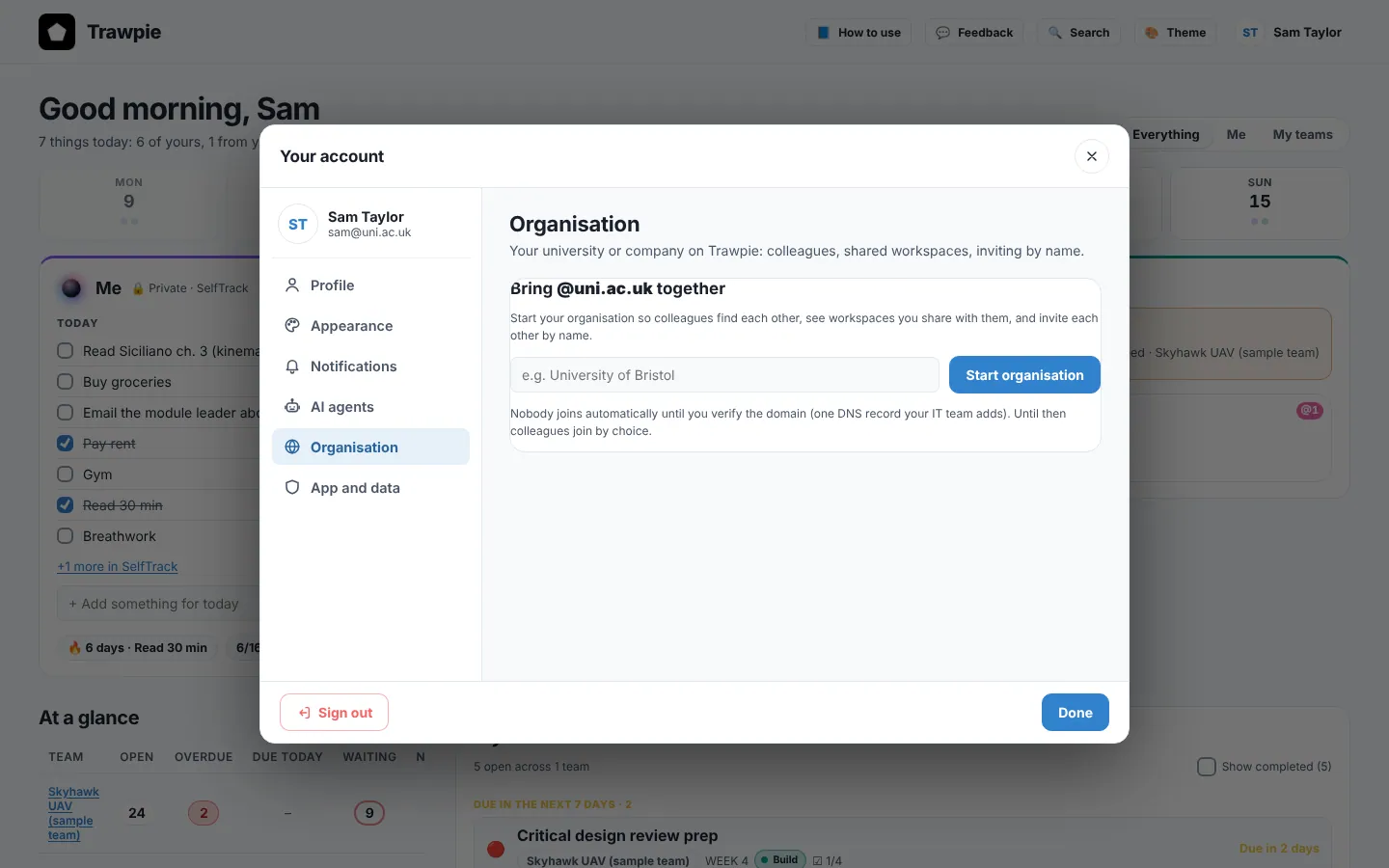
Start it
- Use a verified work or university emailGmail, Outlook.com and other public addresses have no organisation.
- Open Your account ▸ OrganisationPress Start organisation. You become its first admin.
Verify your domain
Ask whoever runs your domain’s DNS to add the TXT record Trawpie shows you. It looks like trawpie-verify=…. Then press Verify.
- Before verifying: colleagues join by choice.
- After verifying: everyone who signs in with your domain, or a sub-domain like
@eng.uni.ac.uk, joins automatically. - Only your organisation’s admins see the DNS record.
Microsoft sign-in and the directory
People can sign in with their Microsoft work or school account. When they invite someone, they can search your Microsoft directory by name, just like Outlook.
Searching the directory asks Microsoft for permission the first time (it reads basic profiles: name and email). Some organisations need their IT admin to approve this once for everyone, as “admin consent”. Nothing else in your Microsoft account is read.
Share a workspace with colleagues
In a workspace you own: Settings ▸ Members ▸ Show this workspace to …. Colleagues see its name on their home page and press Ask to join. Showing it shares the name only: you still decide who joins.
Example
The engineering department verifies
eng.uni.ac.uk. Sam shows the “Robotics project” workspace to the organisation. Priya, a new student, sees it on her home page, asks to join, and Sam lets her in as a Member.