 Trawpie
Switch views at the top of the board. Each answers a different question about the same tasks.
| View | Answers | Good for |
|---|---|---|
| ▦ Board | Who’s doing what, when? | Weekly planning, spotting overloaded weeks |
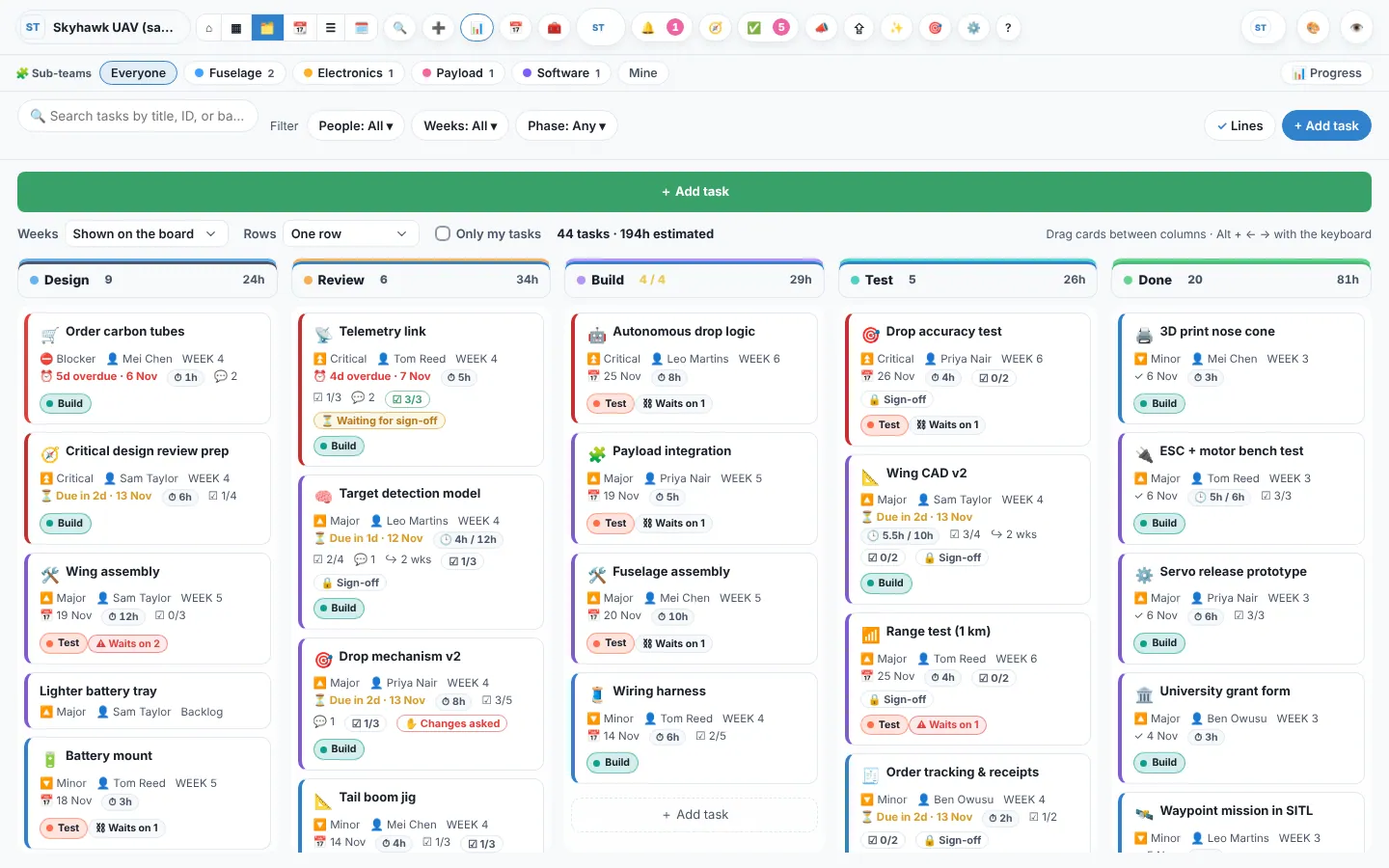
| 🗂️ Kanban | What’s the state of play? | Stand-ups: talk through the Doing column |
| ☰ List | Show me everything, sorted | Triage, bulk changes, reports |
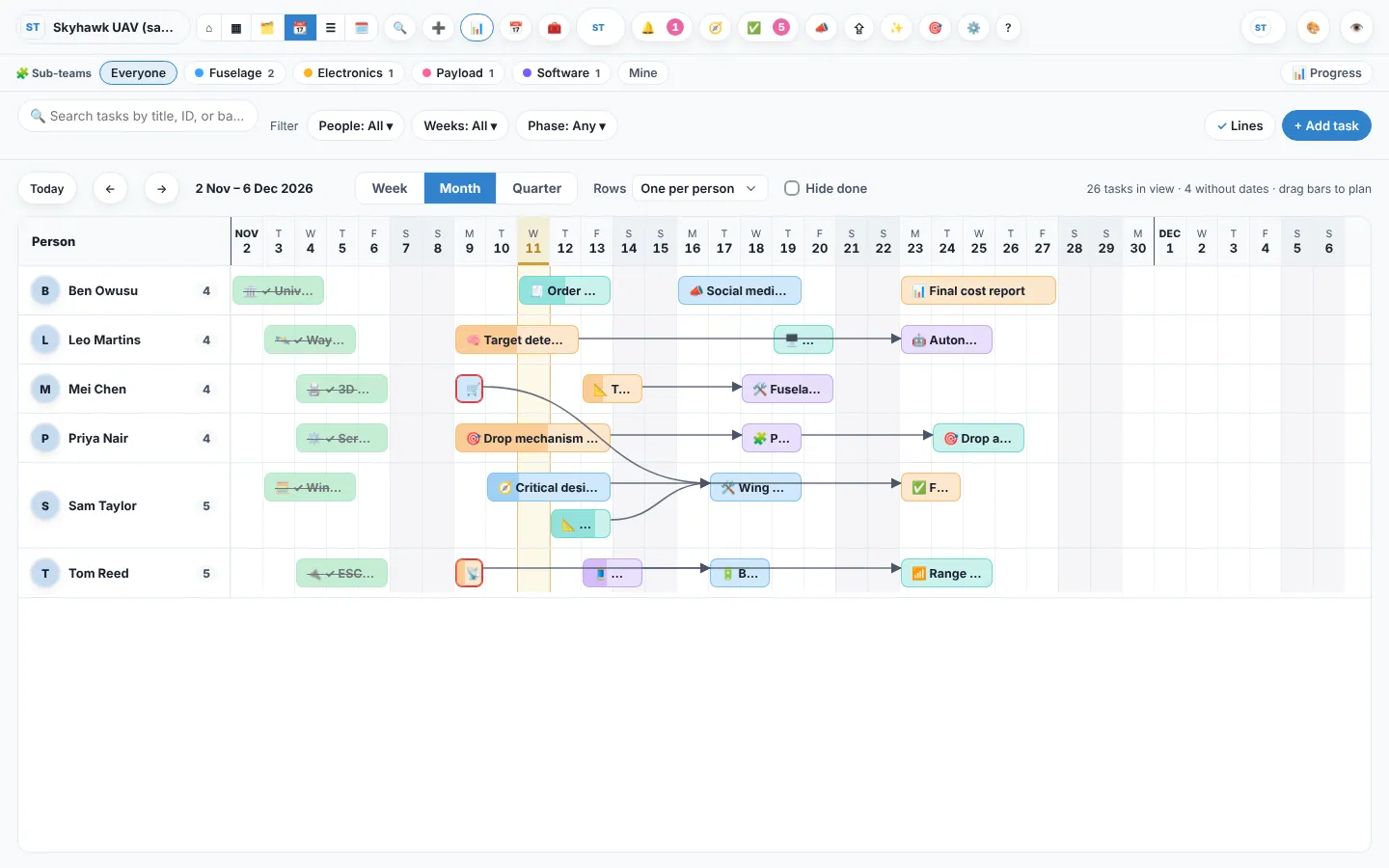
| 📆 Gantt | What’s coming, and when? | Phases, deadlines and what waits on what |
| 👥 Workload | Who has too much? | Fair workloads, exam weeks and holidays |
| ⌂ Overview | How is the project doing? | A one-page summary for the team or a supervisor |
Kanban
Columns follow the workspace’s workflow stages. A stage can have a limit (say, 4 in Build) so nobody starts more than the team can finish.
List
Every task in one table. Sort any column, group by person, week, stage or priority, and change stage or priority right in the row. Tick several rows to change them together.
Gantt
Each task is a bar from its start to its deadline, with arrows for “waits on”. Drag a bar or its ends to re-plan; tasks that wait on it move along. Phases and sprints show above.
Workload
Hours planned per person per week (or per day), against their capacity, with time off. Red means more than they have.
The Overview is a page, not a view of cards: description, status, stages, timeline and what’s late, worked out from the board.